
Ideate

Brain Dump
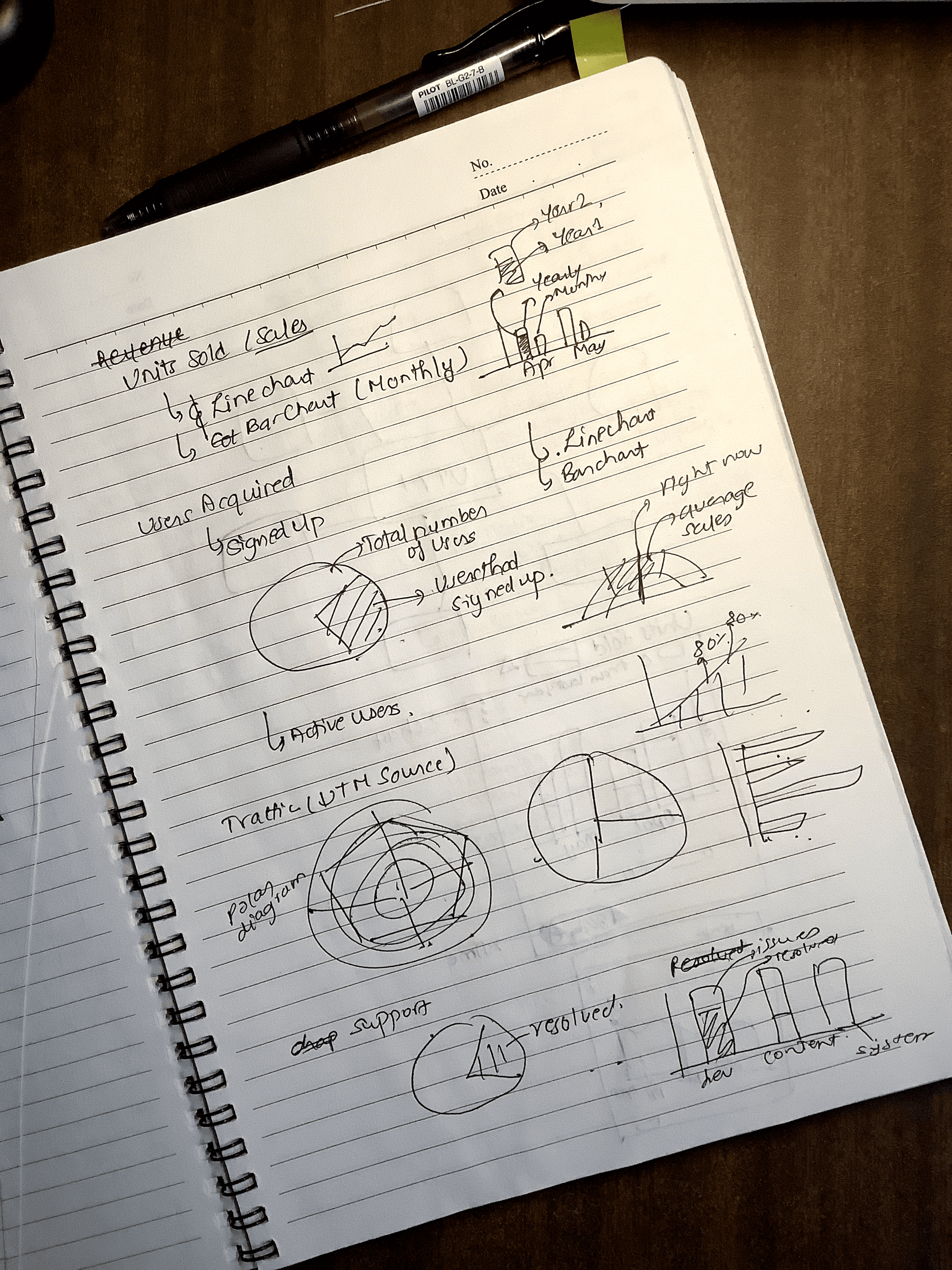
To begin the ideation process, I started with a brain dump. This involved compiling all the relevant information that could help users understand how Programiz PRO is performing. Additionally, I listed a few KPIs (Key Performance Indicators) that could be relevant to all platform users.

Wireframe, Prototype & Test
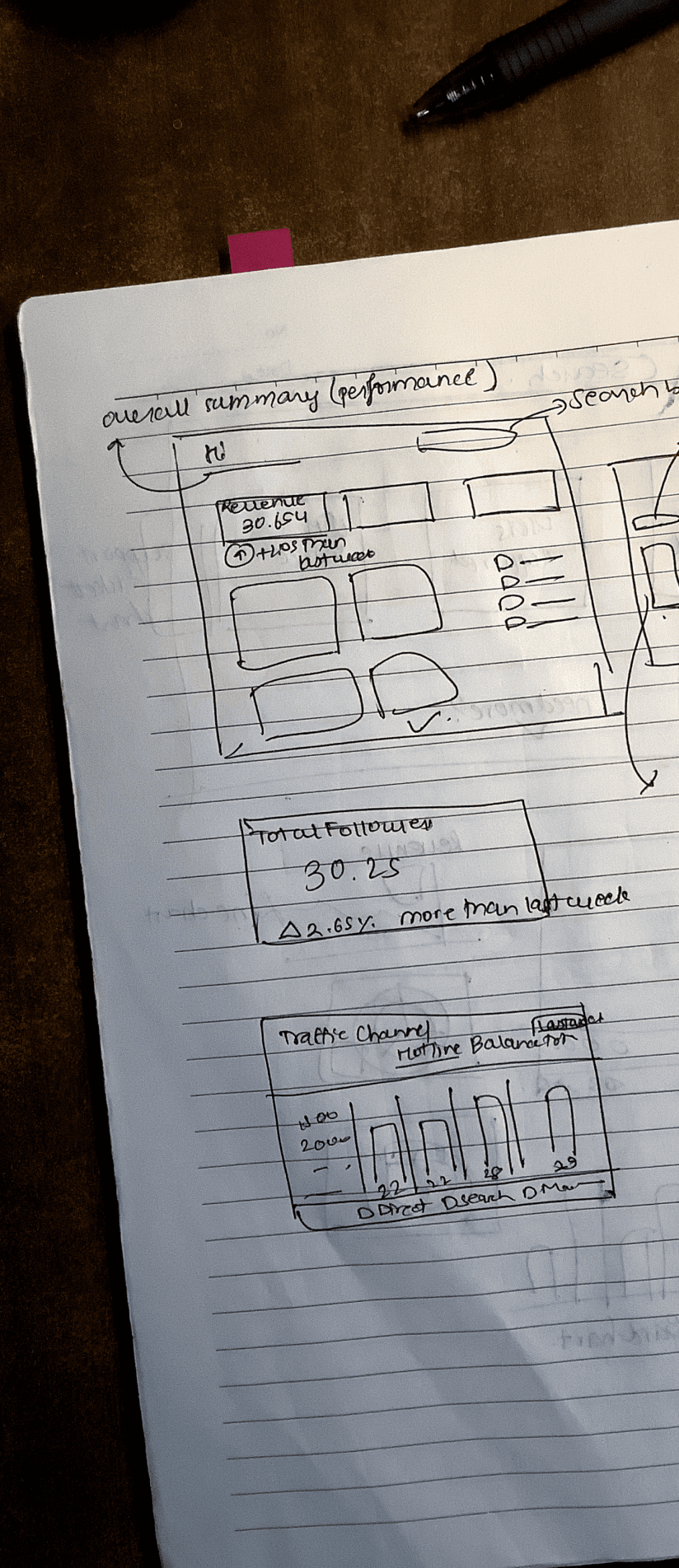
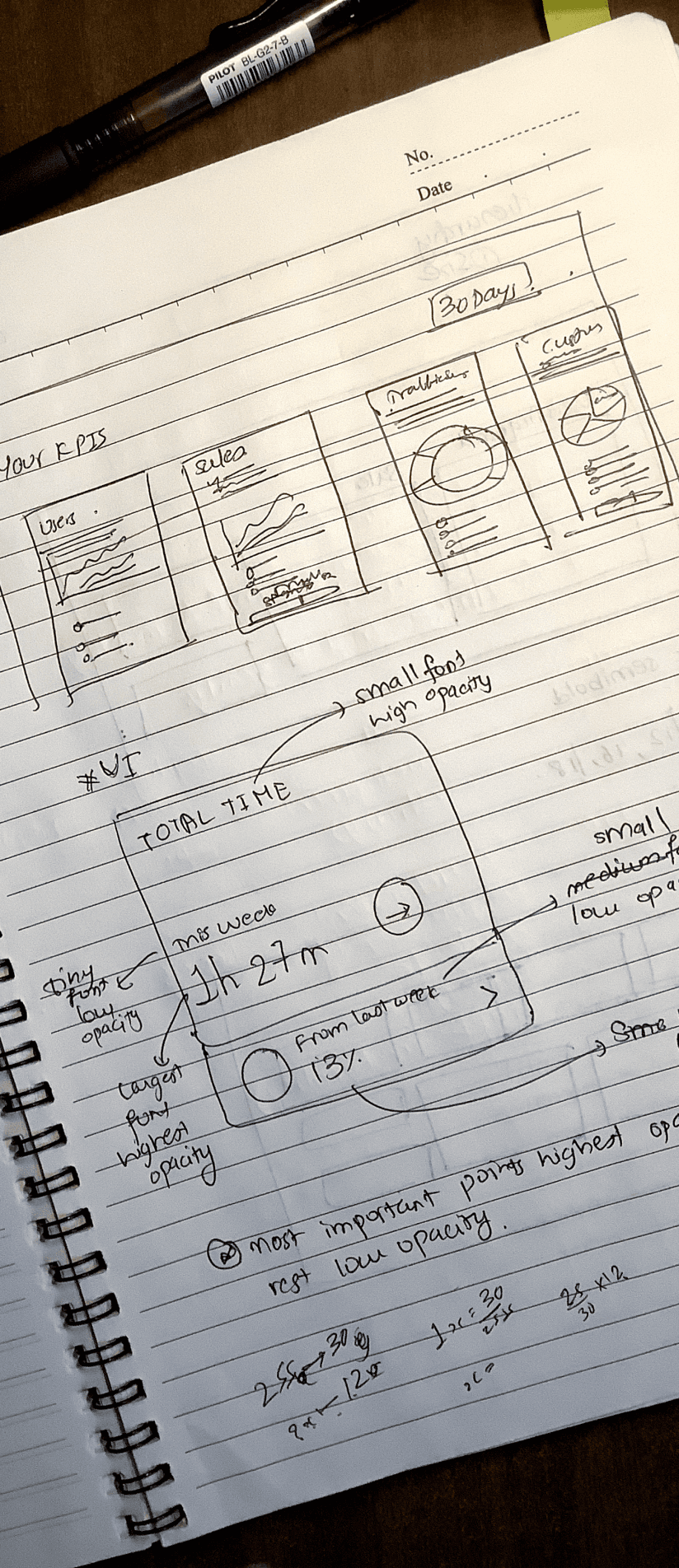
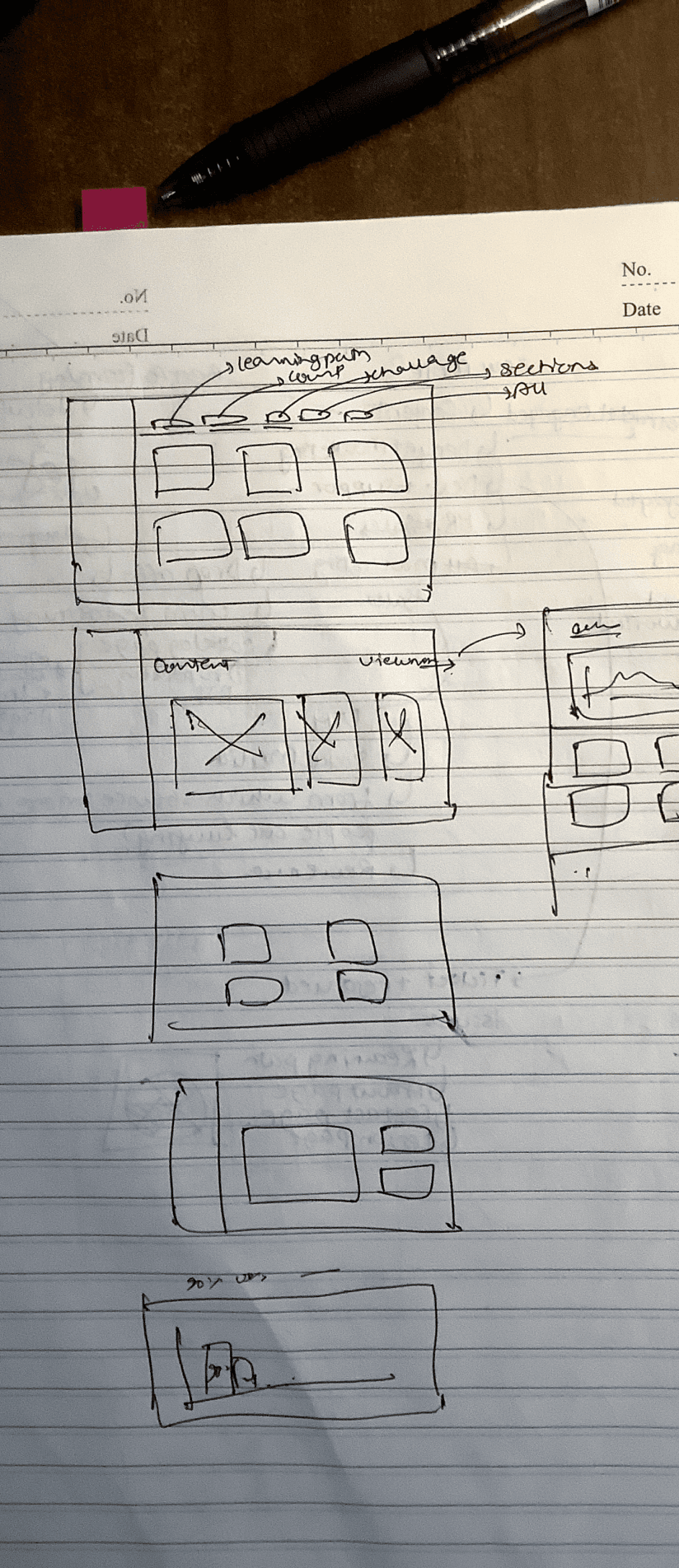
After figuring out what to create, I quickly got started with the digital wireframes and prototypes. Recognizing that any design is incomplete without testing, I proceeded with multiple rounds of user testing and iterations.
The iteration for the final design can be broken down into 3 phases:
Phase #2
In the second phase, I concentrated on a single main section that highlighted the KPIs defining the performance of Programiz PRO. This phase primarily centered on identifying useful data to represent the KPIs. I also emphasized data representation through graphs and labels.
During user testing, a few issues were identified :
The presence of unnecessary data.
Space allocation for KPIs based on their importance.
Improper data representation for certain datasets.
Starting the Design...
Riya
Now we get to the fun part....DESIGN!
Brainstorming ideas, multiple iterations of digital wireframes and usability studies to create a Final product.
Ideation
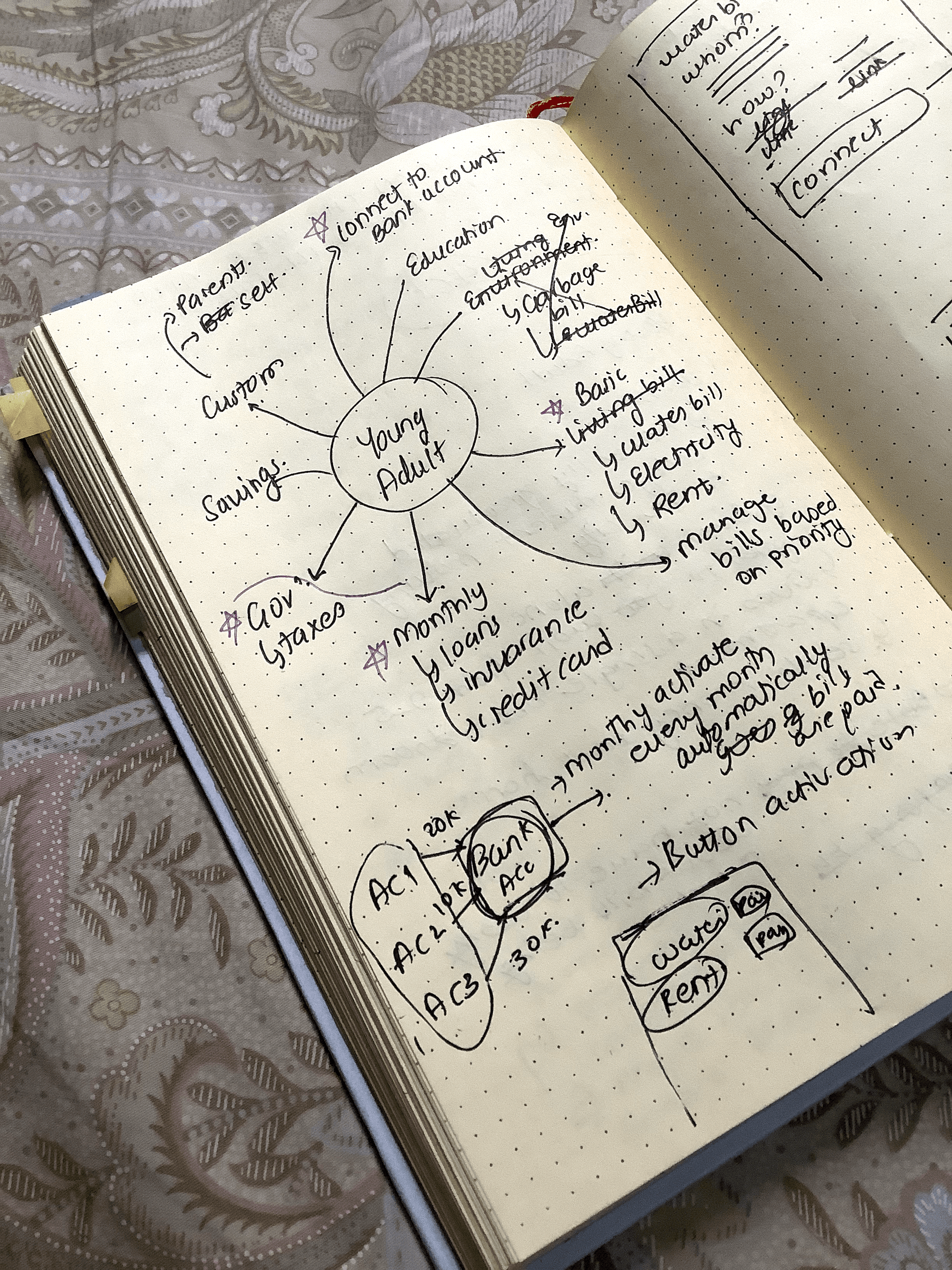
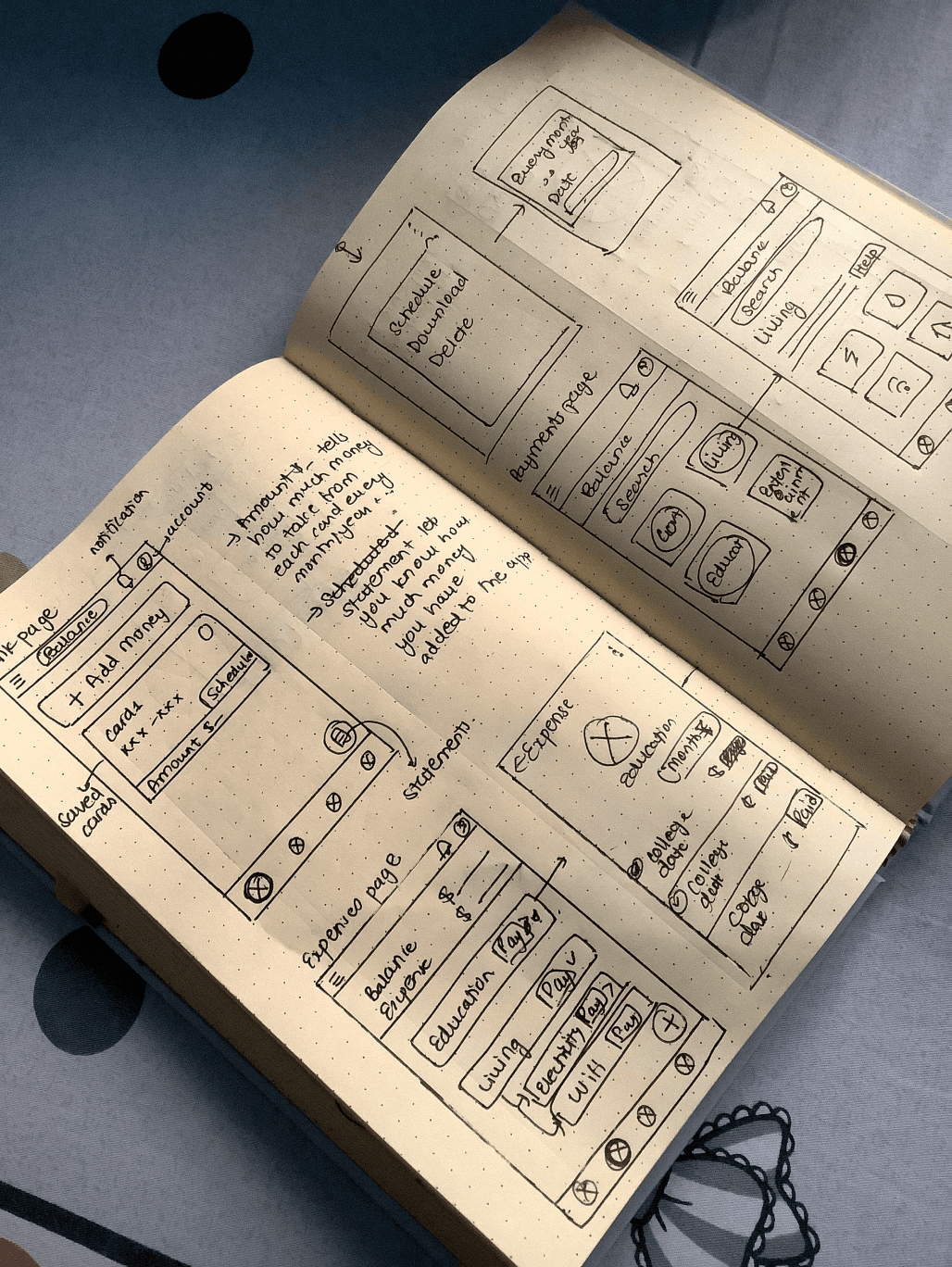
As the ideation process began my main goal was to jot down all the features that I could think of that could solve user’s problems. After the dump came the short list. I choose only to add features that would be useful to young adults while also allow me to create an MVP (Minimum Viable Product - tech jargon) that I can test as soon as possible.
This is what I came up with:
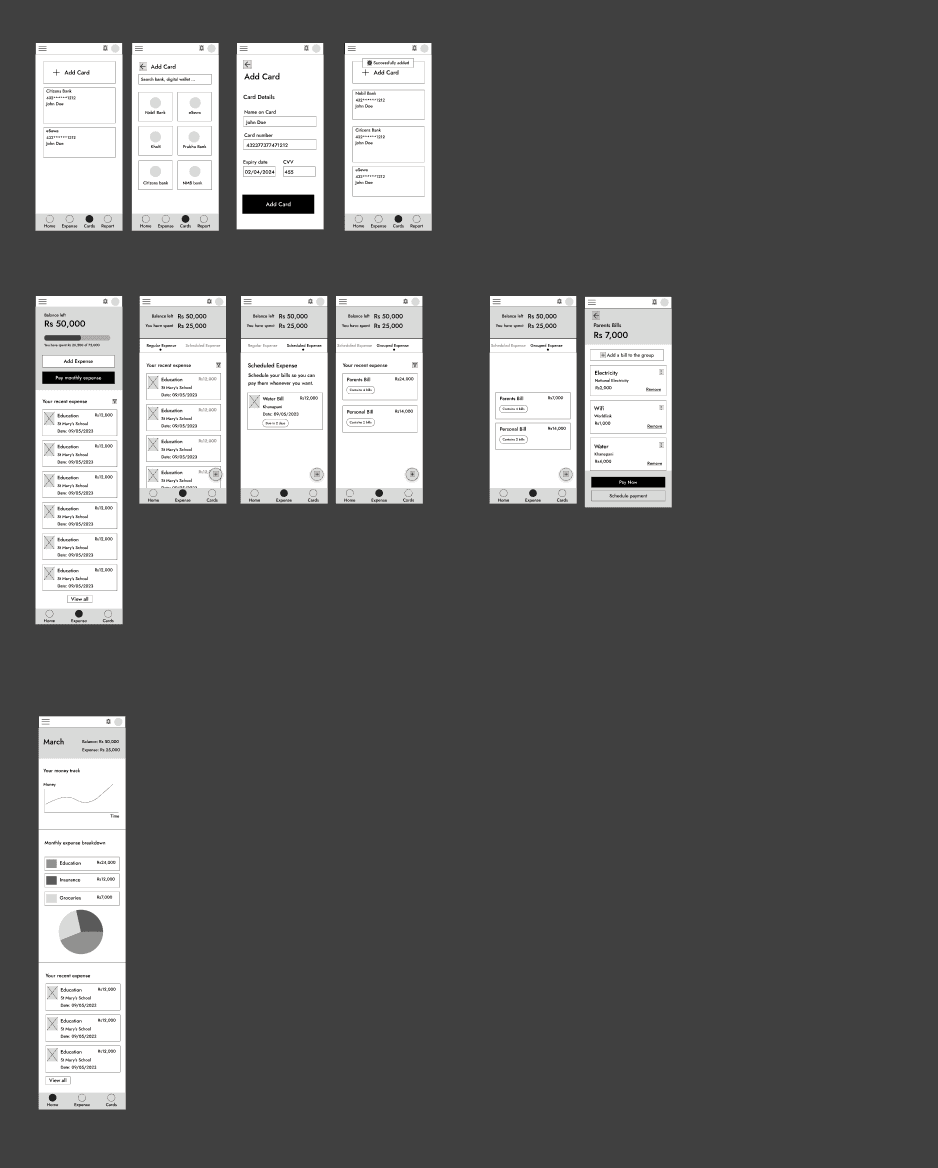
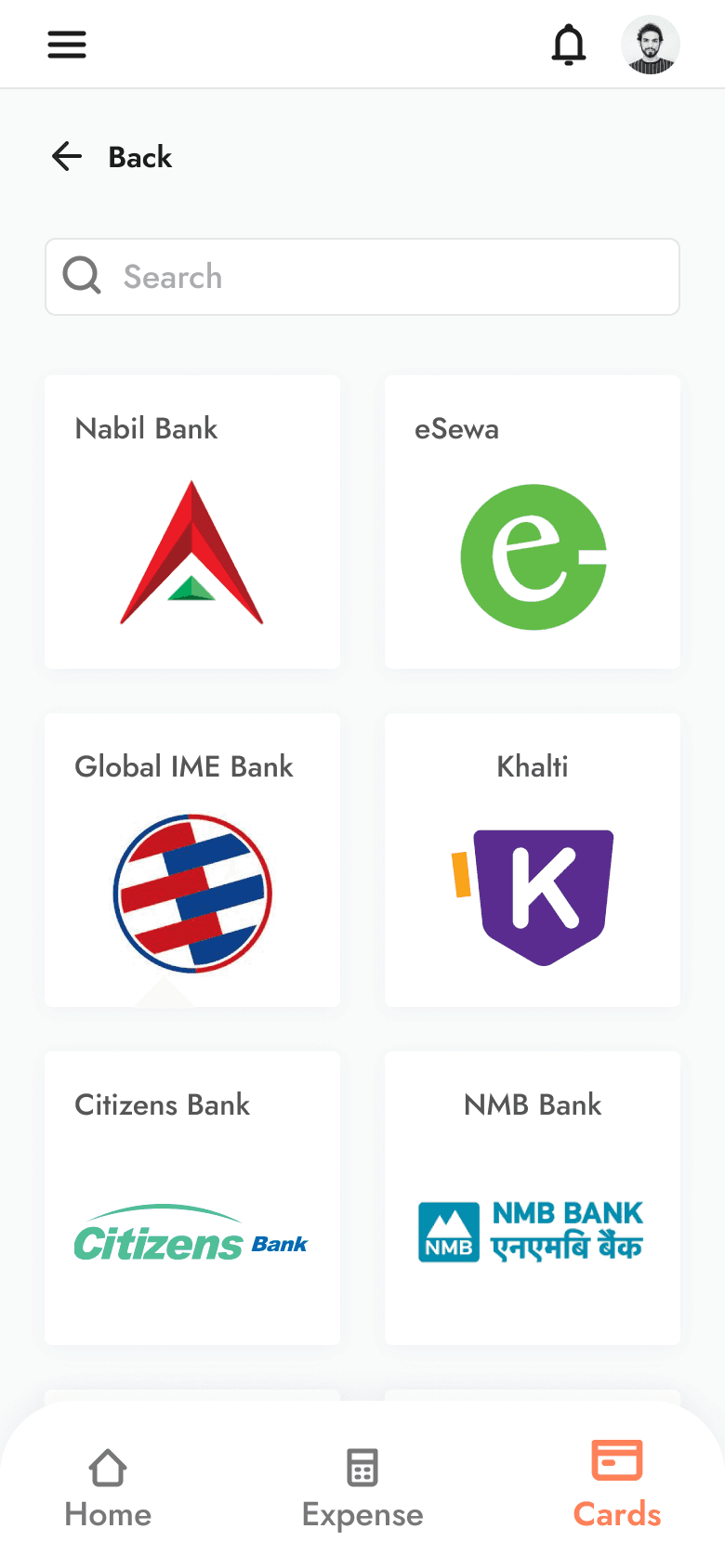
An easy add card feature to add user’s bank accounts to the app.
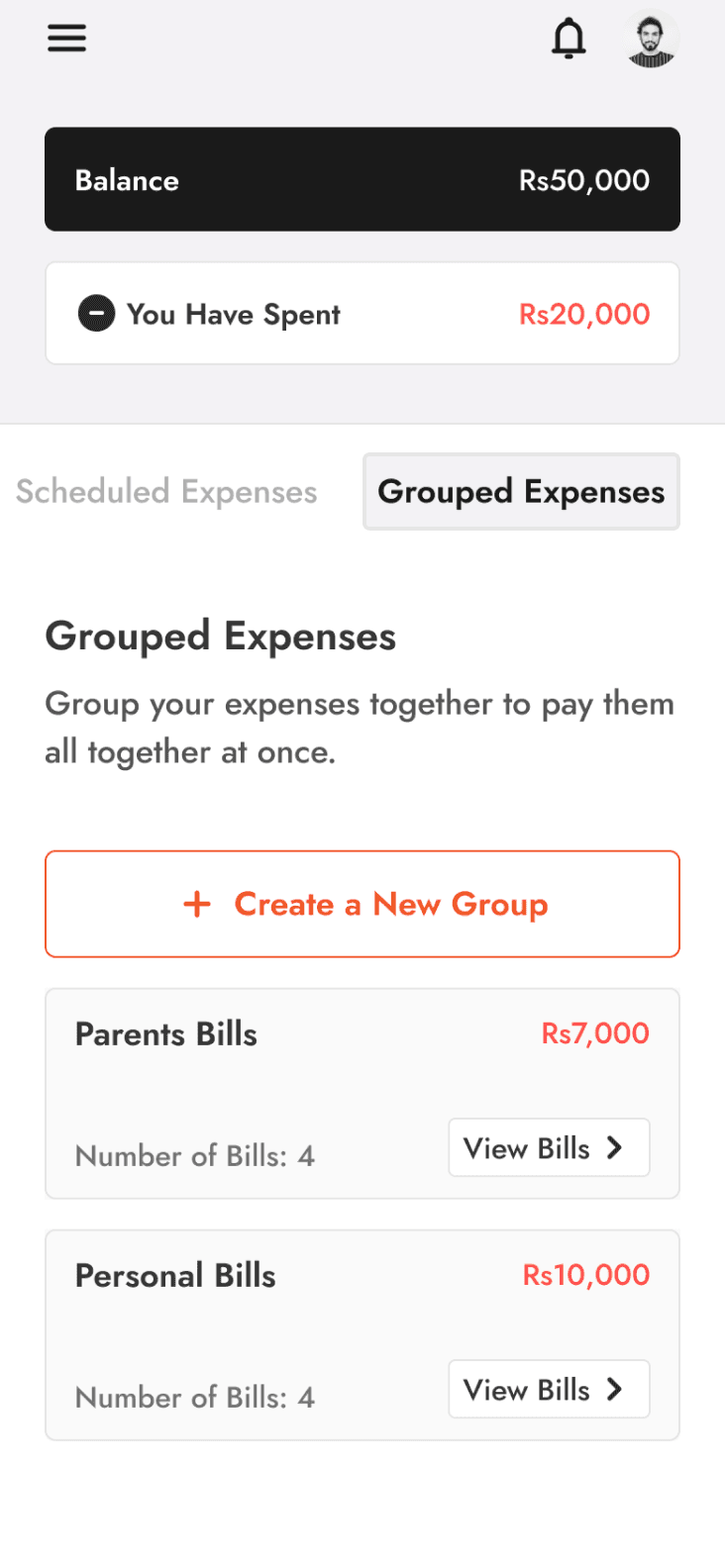
Expense categorization into daily, scheduled and grouped expenses.
Group expenses where users can group and pay multiple bills at once.
Scheduled expense feature that allows users to schedule payments.
Daily expenses so users have a single hub for tracking all daily expenses.
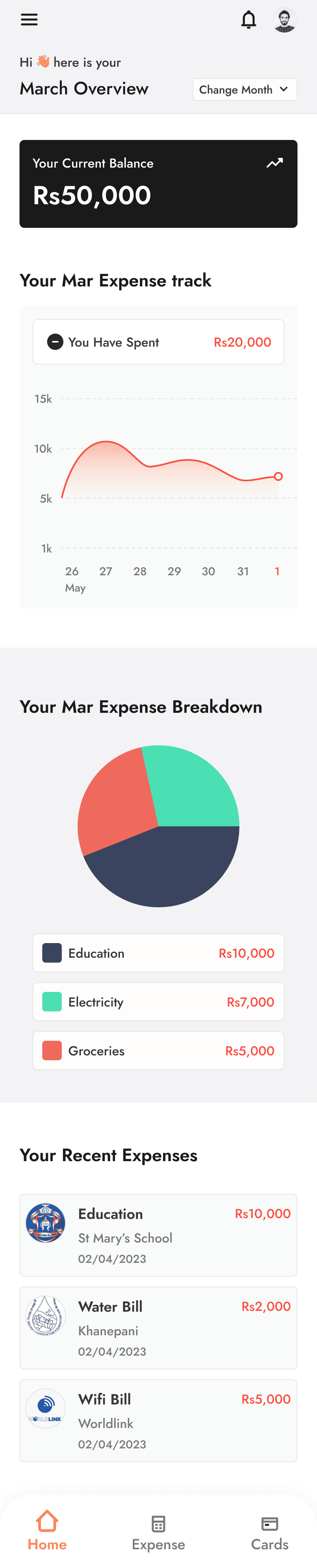
Report view of their monthly expenditure.

Digital Wireframes & Iterations
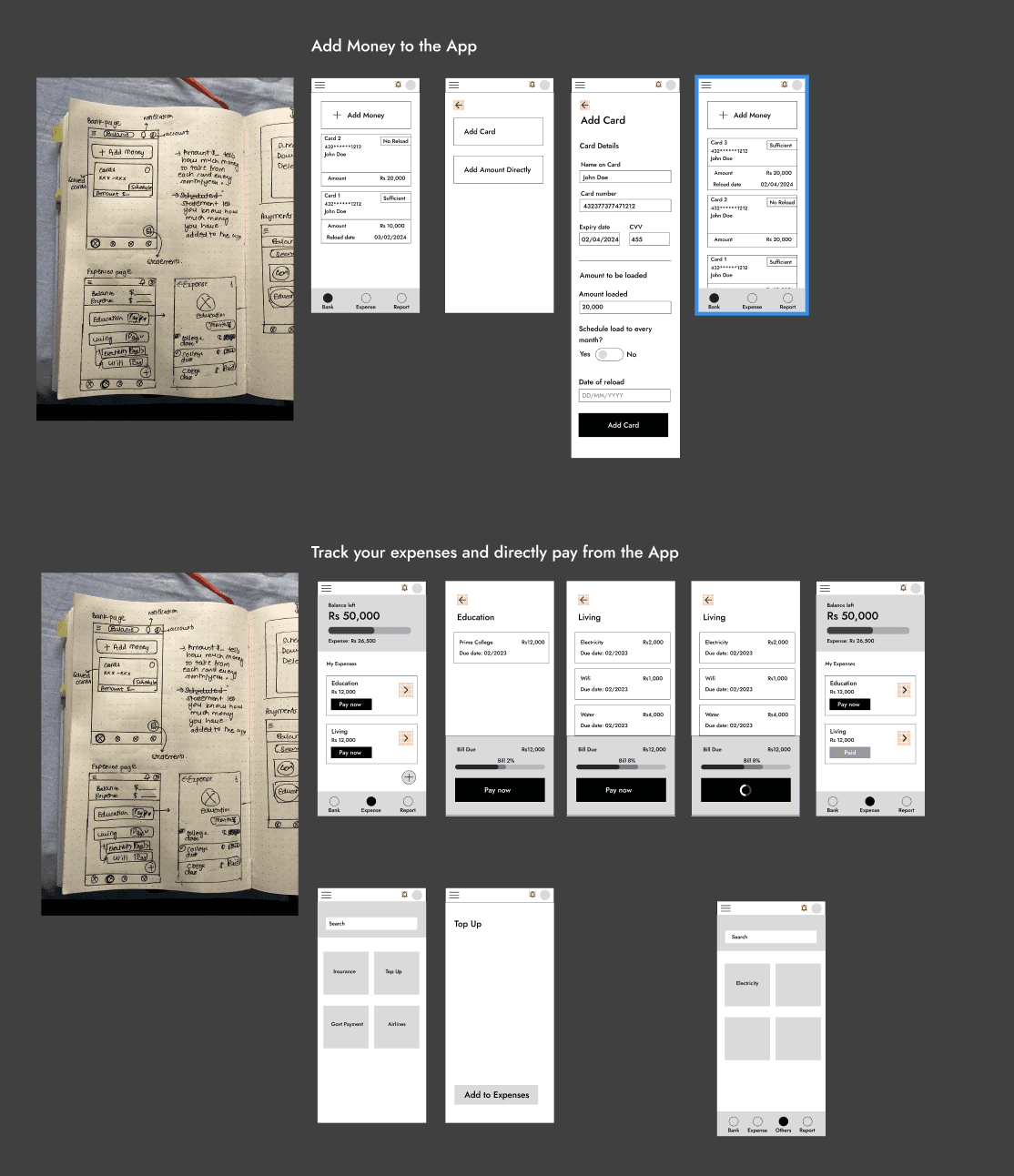
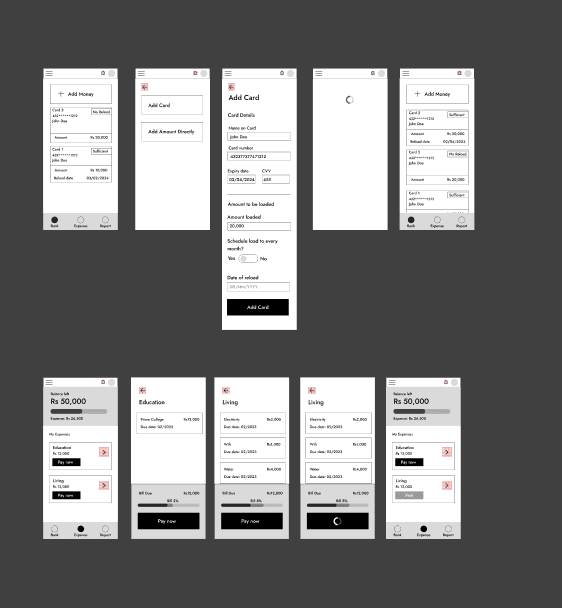
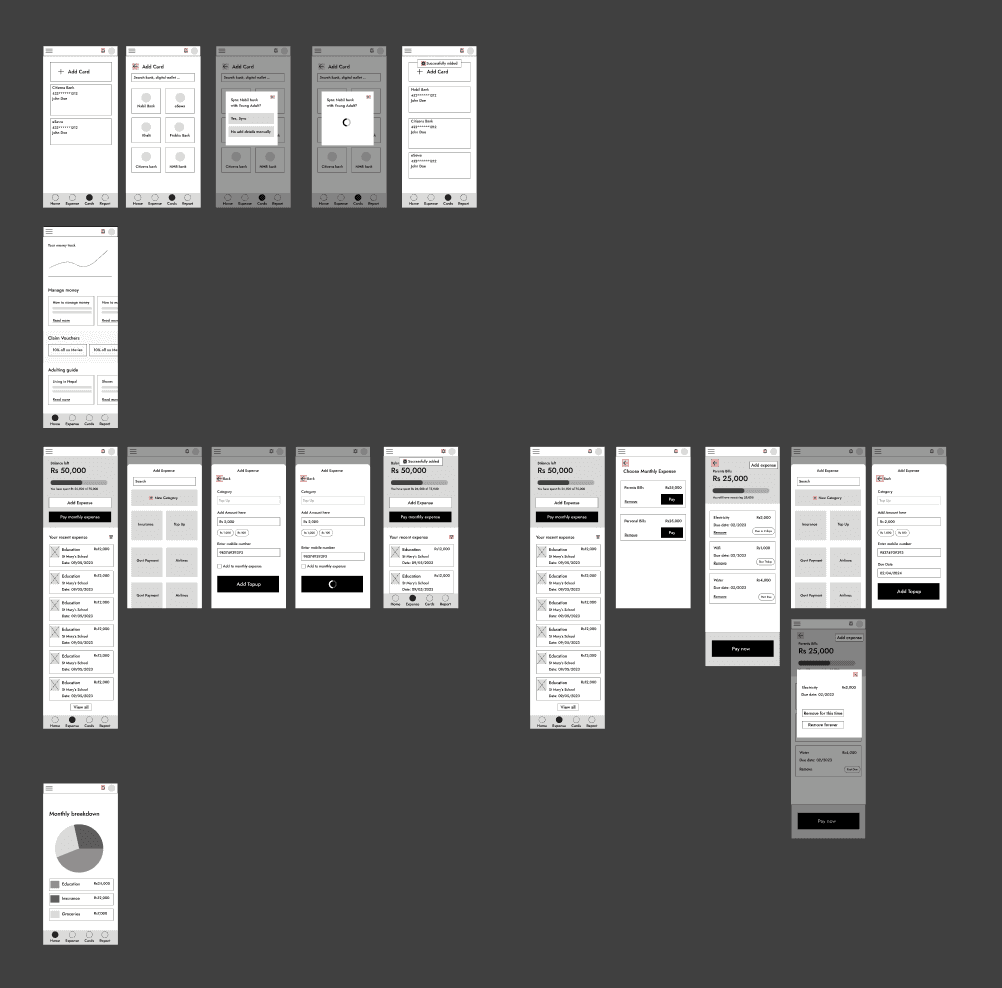
After figuring out what to create, I quickly got started with the digital wireframes and prototypes. As any design is incomplete without some testing, I followed on with many rounds of user testings.

Round 1
Round 2
Round 3
Round 4
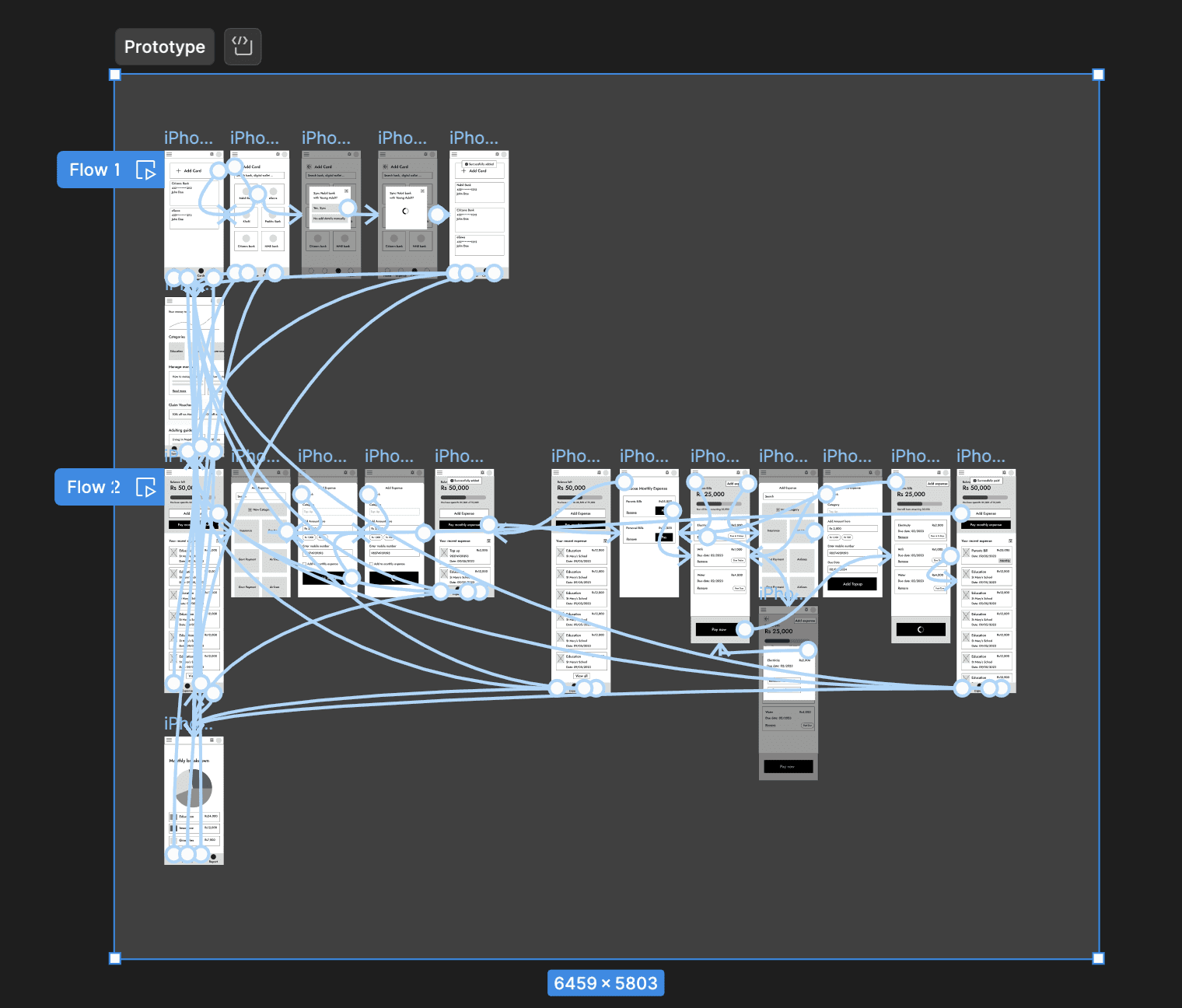
Prototype
Usability Study
Testing revealed that although many of the features were appreciated by users the layout and the copies threw them off in many occasions.
The result from the test can be broken down into 3 main points:
Expense Categorization
Users are having a hard time understanding the different categories of expenses introduced in the design.
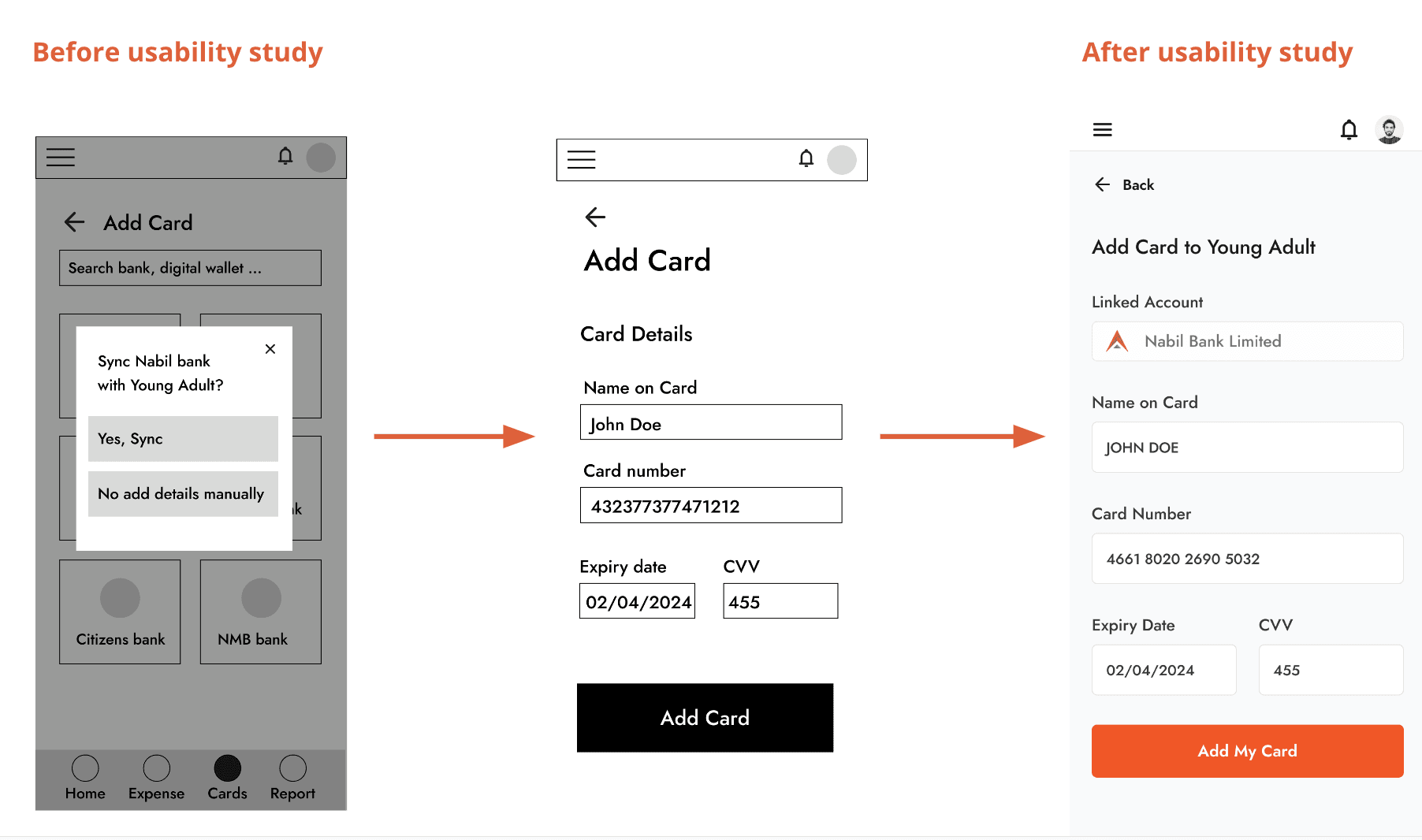
Add Card feels suspicious
Users find the add card feature suspicious and would like a process that they are used to.
Home page contents
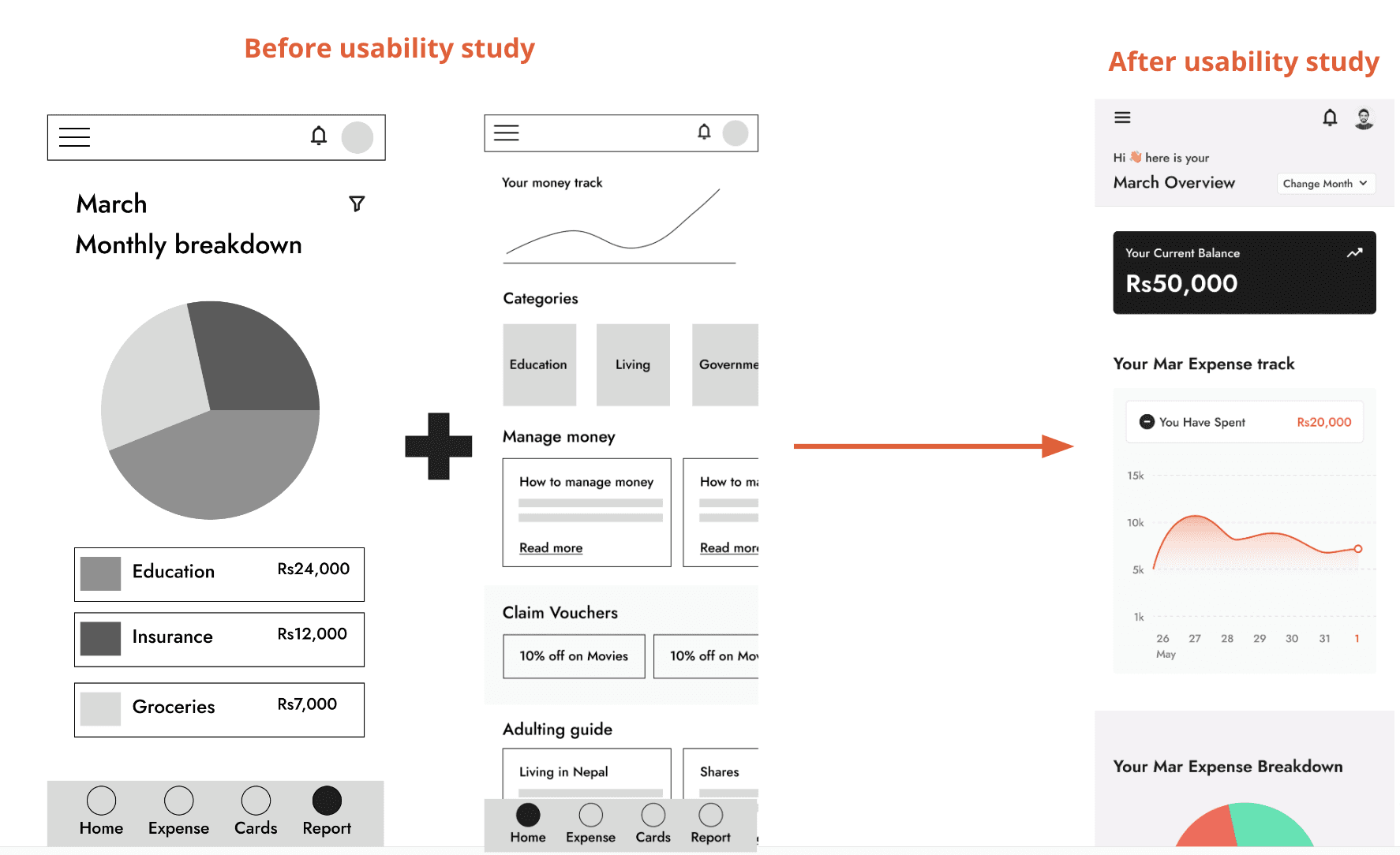
Users found the content in the homepage to be unrelated to the app.
Understanding the User
Riya
Users come first!
Before we get to creating it is important to realize who our users are and who we are designing for.
User research
After conducting some interviews with young individuals between the ages of 18-30 these are the list of pain points I found out.
Pain points:
Paying Bills on Time
When you have bills/loans to pay at different times of the month, there are high chances they get missed.
Organizing Expenses
Not having a clear view of where your money is going and unsure of how much you can spend for the month can make users anxious.
Multiple Bills
Having multiple bills to pay to multiple people and constantly having to calculate the amount of money to pay can be bothersome for users.
Competitive Audit
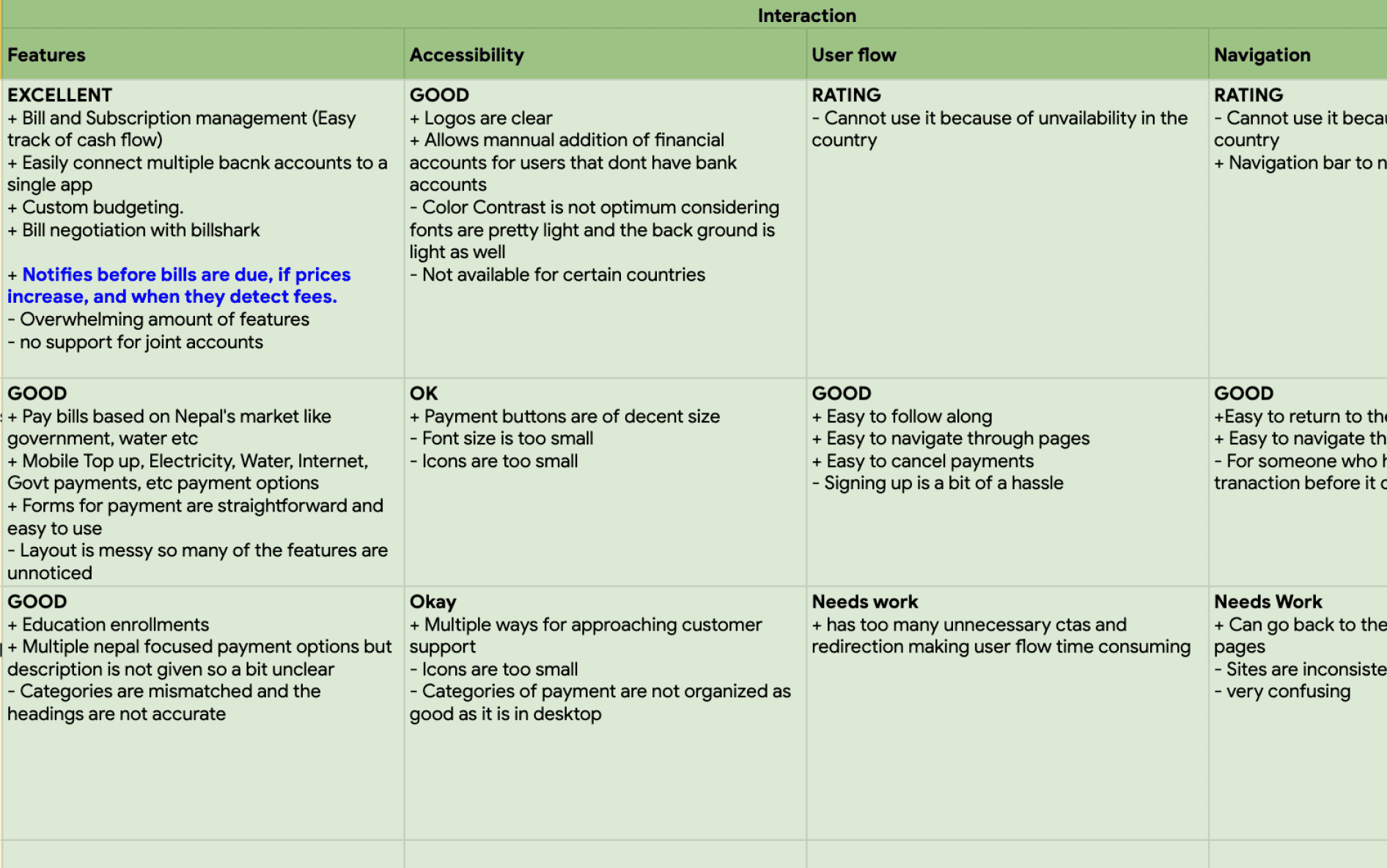
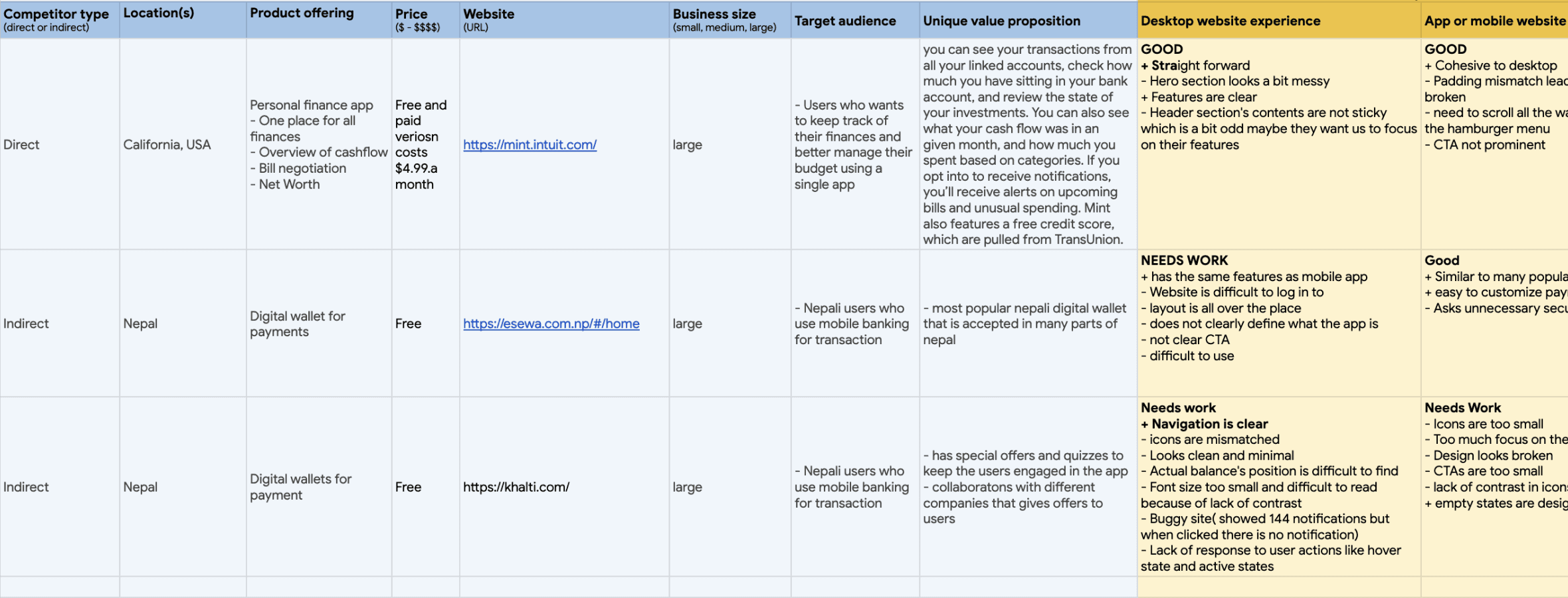
Before diving head first into the design, I wanted an overview of what rest of the world was doing. The main goal of this audit was to see how other apps manage user's bills and payment methods, as well understand the user base of the competitors. Most of them were catered towards individuals who had somewhat experience with managing money and were heavy on features involving credit scores, bills, shares, investments etc.
But, as Young Adult was an app catered towards young adults who are just getting started with finance, adding too many features seemed overwhelming rather than beginner friendly.

Persona
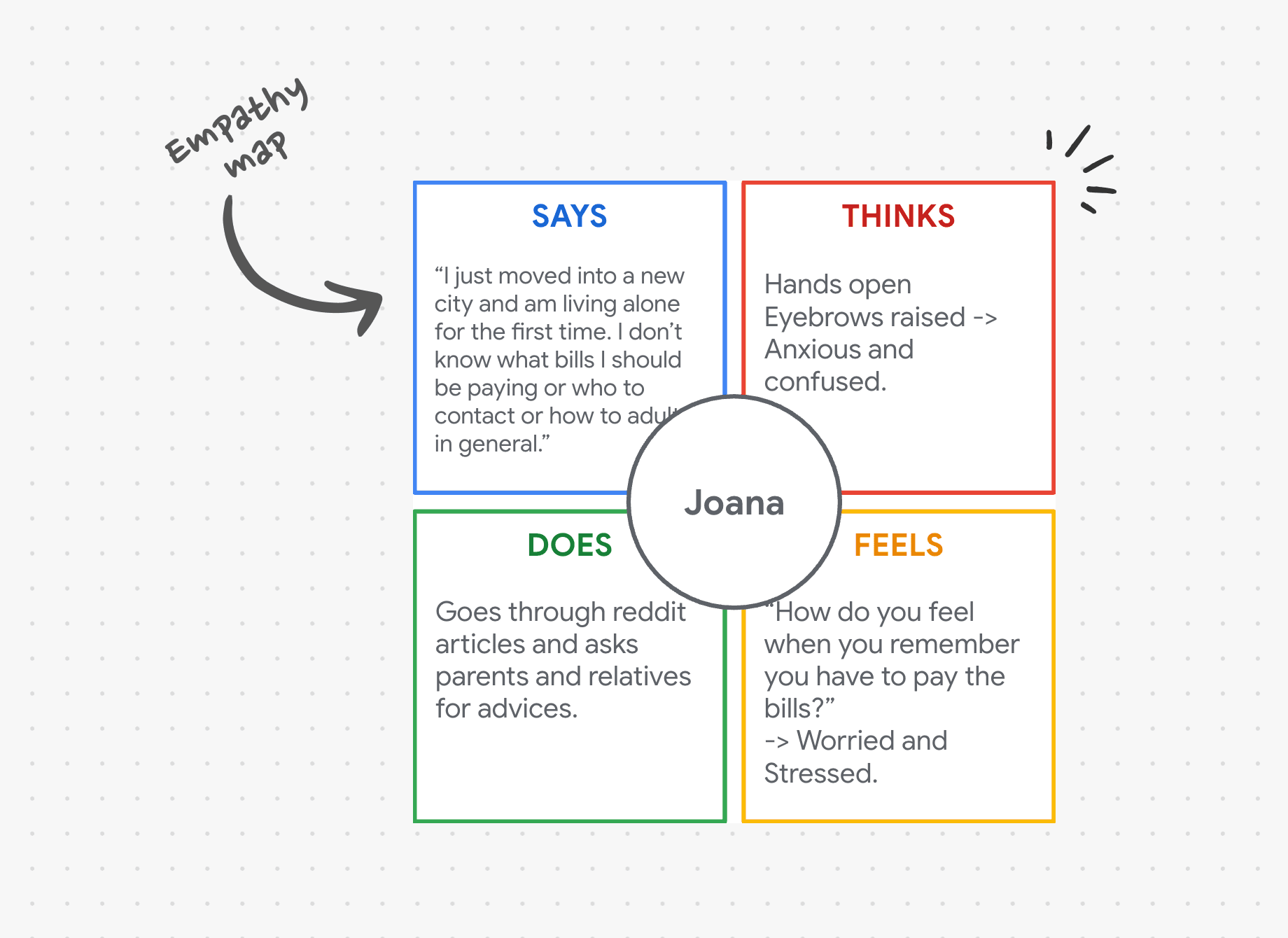
From the research, in an attempt to cover the pain points and better represent the user group I made two personas, one of Dakshant and other of Joana.

Dakshant
Age: 27
Education: College dropout
Hometown: Sydney
Family: Parents, Spouse
Job: Architect
My parents should not have to worry about bills when I am here.
Background
Dakshant, an architect in Sydney, supports his parents in Nepal by sending money. He wishes to simplify their bill payments by handling online transactions from Australia, allowing them to manage only the bills that require physical payments. His goal is to ensure a secure financial situation for his parents while efficiently managing his own expenses with his partner.
Goals and Ambitions
Being able to pay his parents bills
Not have to worry about bills being paid on time.
Wants an ordered way to manage different bills
Frustrations
“I use different bank accounts to pay different bills, and I don’t always have track of how much money I have spent in total since it is also the acc where my daily expense goes ”
Worried about parents having to commute over a long period of time to pay bills.

Joana
Age: 20
Education: College student
Hometown: Kathmandu, Nepal
Family: Orphan
Job: Part-time waitress
I want to take charge of my money
Background
Joana, a college student, recently moved to the city for the first time. She works part-time as a waitress, lives alone in a 1-bedroom apartment, and used to reside in an orphanage. While her landlord covers electricity and water bills, she's unsure about the expenses. Joana also desires WiFi but lacks information on how to get it. She wishes for a solution to track her expenses and make informed financial decisions.
Goals and Ambitions
Understanding and tracking bills
Save some money from expenses
Frustrations
“This is my first time living alone and I don’t know what should I be paying for or how should I be paying for them.“
Not having enough money after paying bills.
Young Adult: Expense Management App
For young adults trying to take charge of their finance.
My Role:
UI/UX Designer
Tools
Figma, Google sheets
Duration
MAY - JUN 2023
Introduction
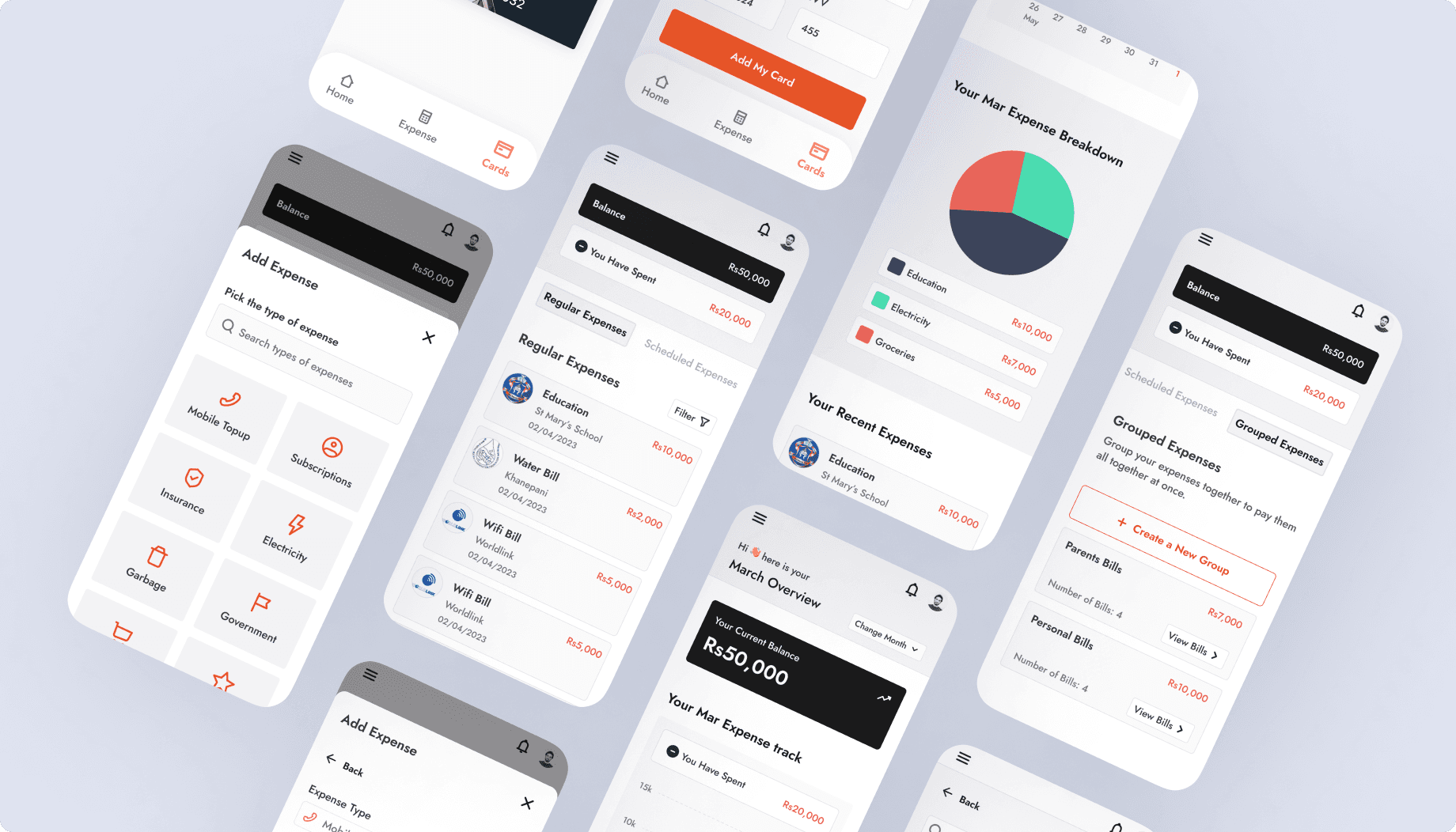
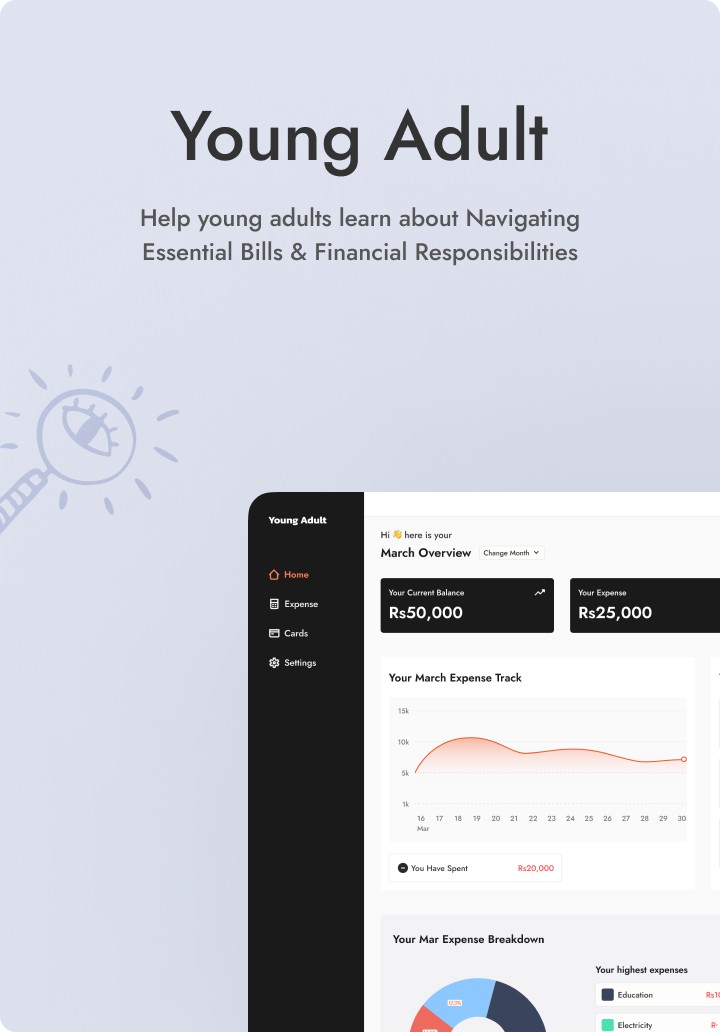
Young Adult is a bill management app catered towards young adults trying to take charge of their finance. When we think of finance and managing money it can be an overwhelming topic for many. And for a young individual who are just starting to live on their own or trying to manage their money for the very first time, it can honestly be quiet scary. Young Adult aims to ease the process for these young adults.
By allowing it’s users to pay, schedule and group bills as well as giving a comprehensive overview of their expenditure, it aims to make young adults confident in their financial decisions.
Problems
Young adults taking care of their personal as well as family finances need an easier way to track, manage, organize and pay bills on time.
Goal
Design an app for Young Adult that allows users to manage and track payments on their own time.


Refining the design
Riya
Feedbacks are necessary.
We get a lot of feedbacks from users, from clients and maybe a million other people. It is up to designers to balance.
Mockups
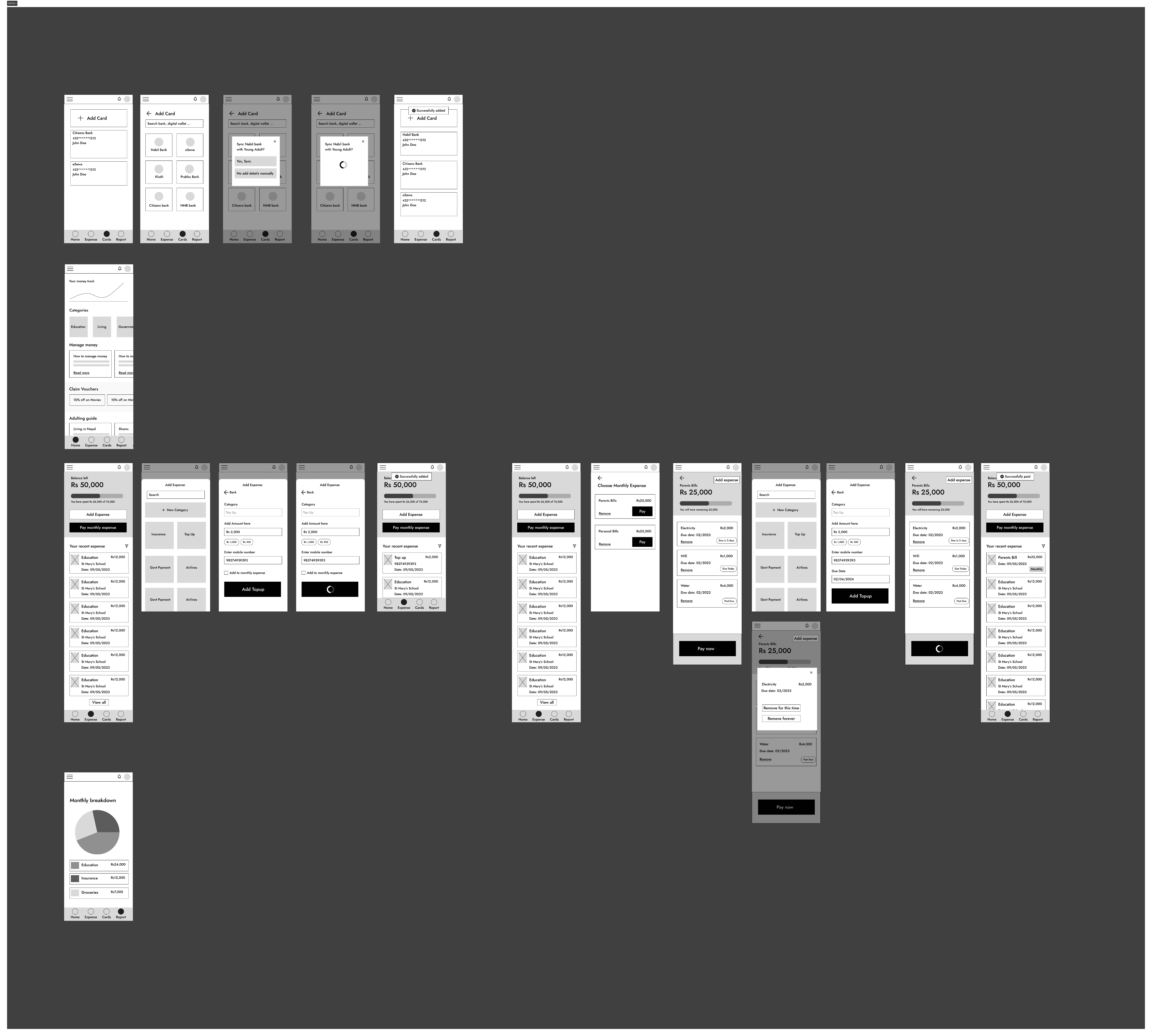
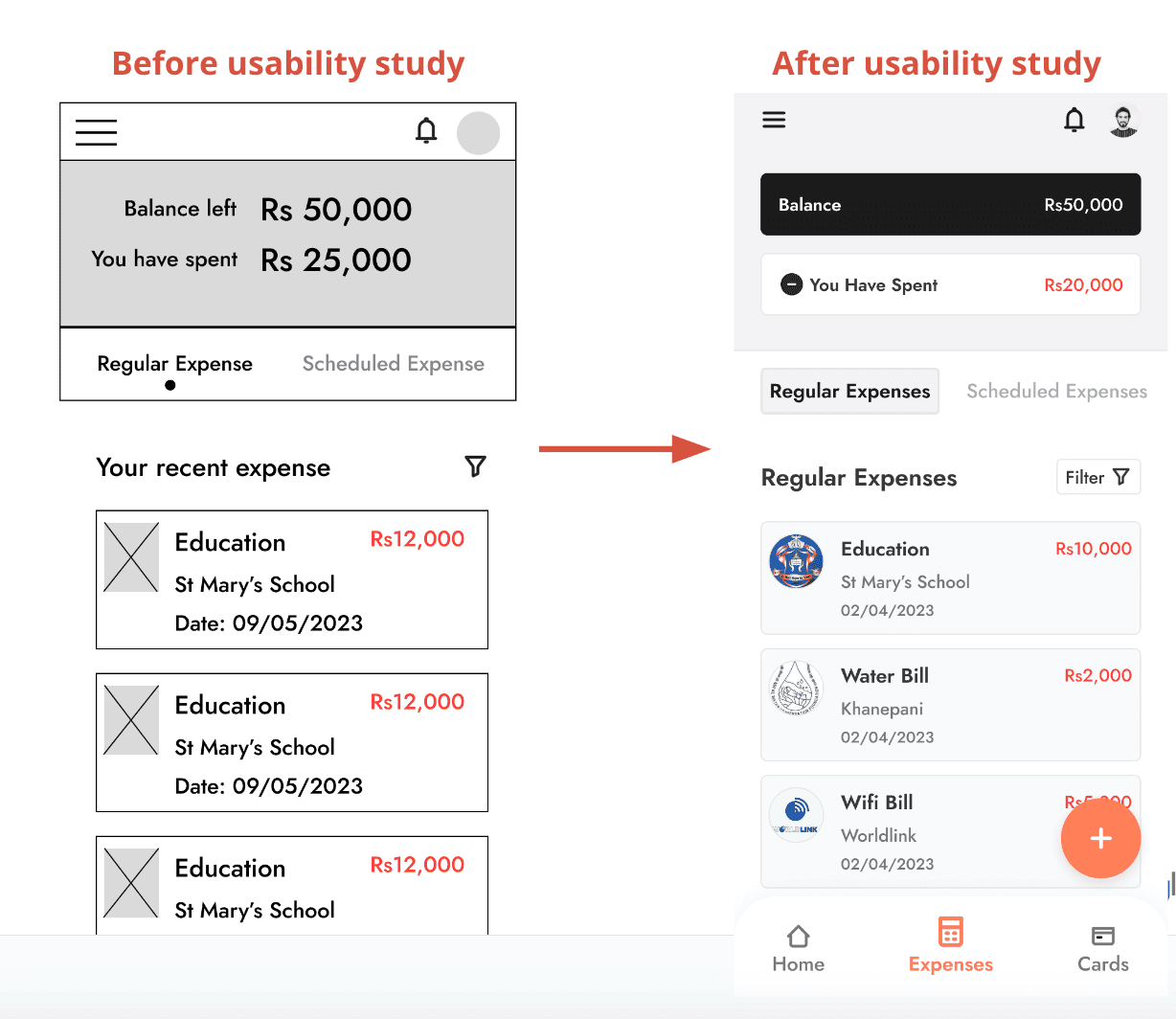
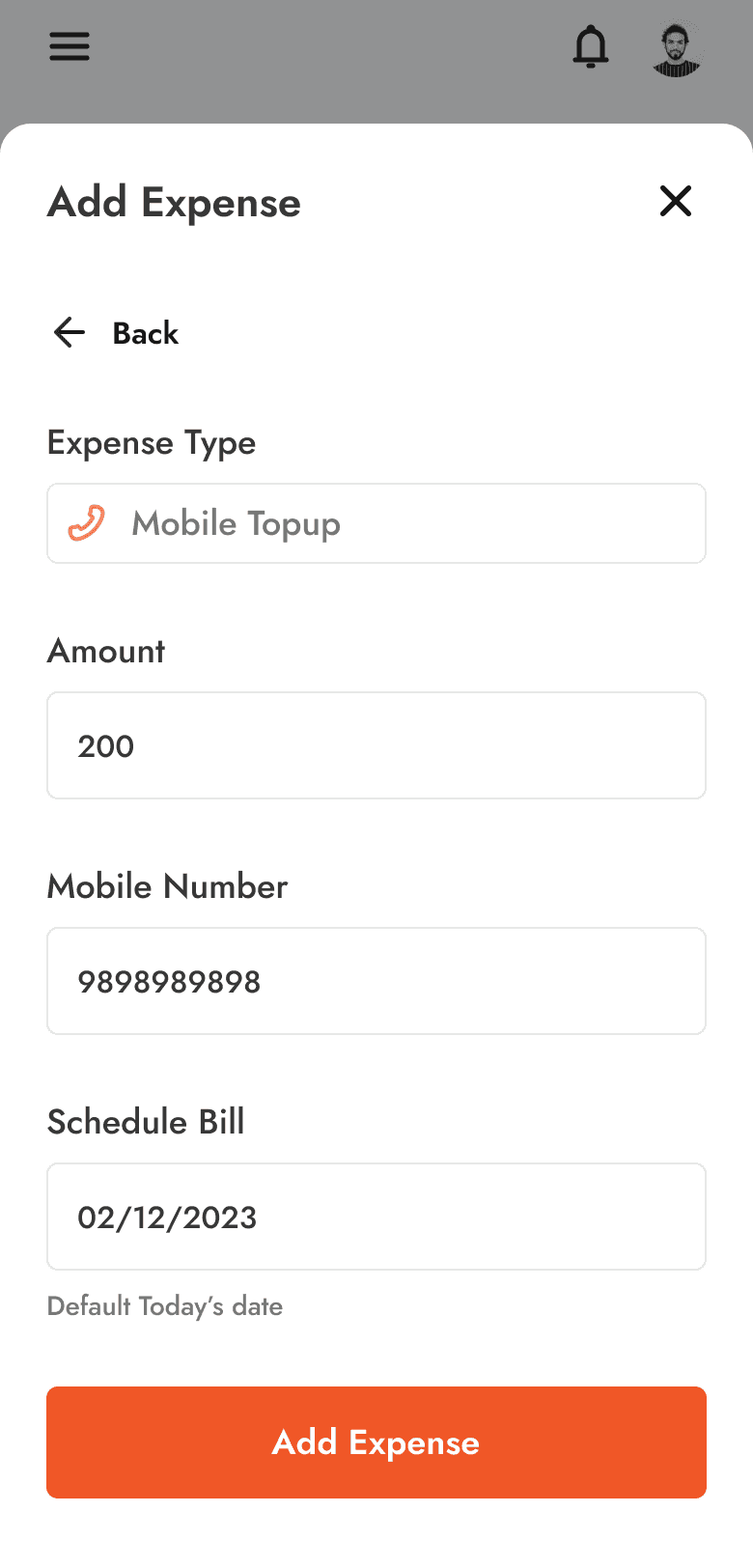
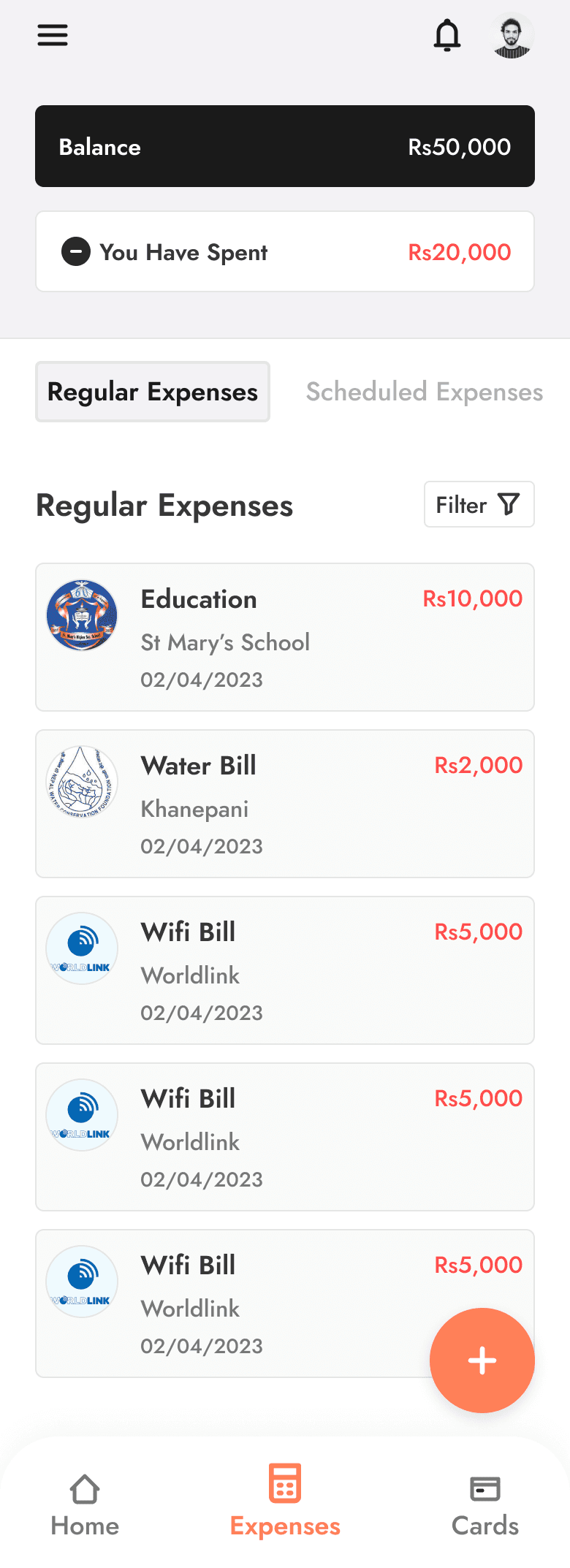
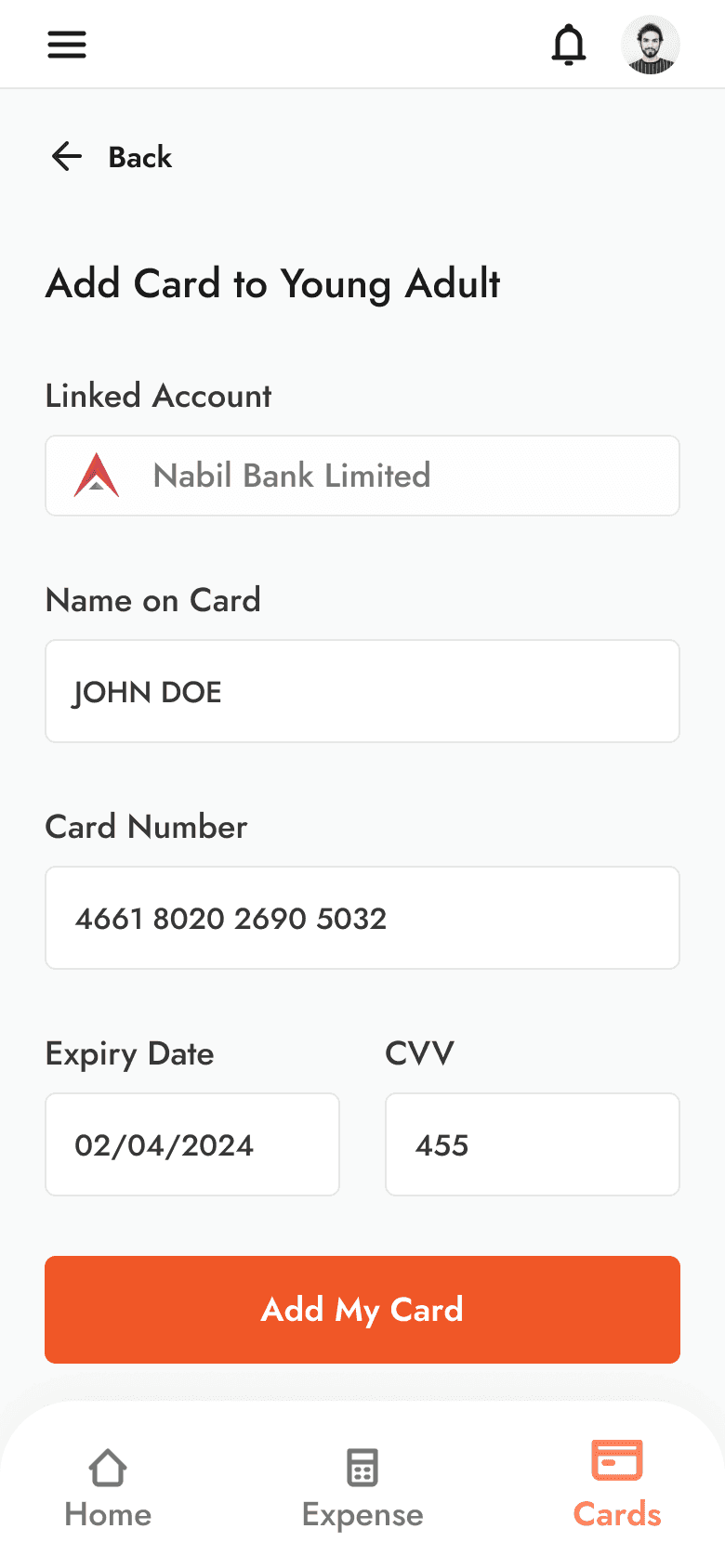
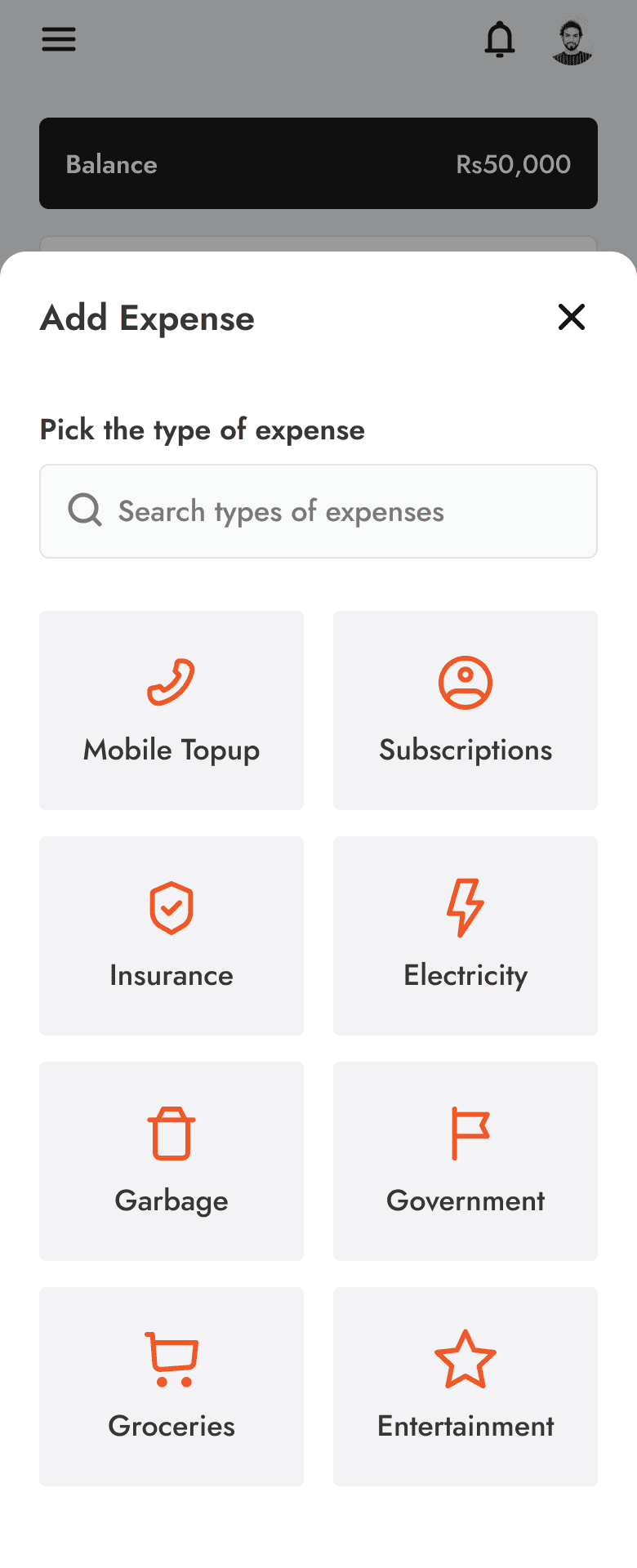
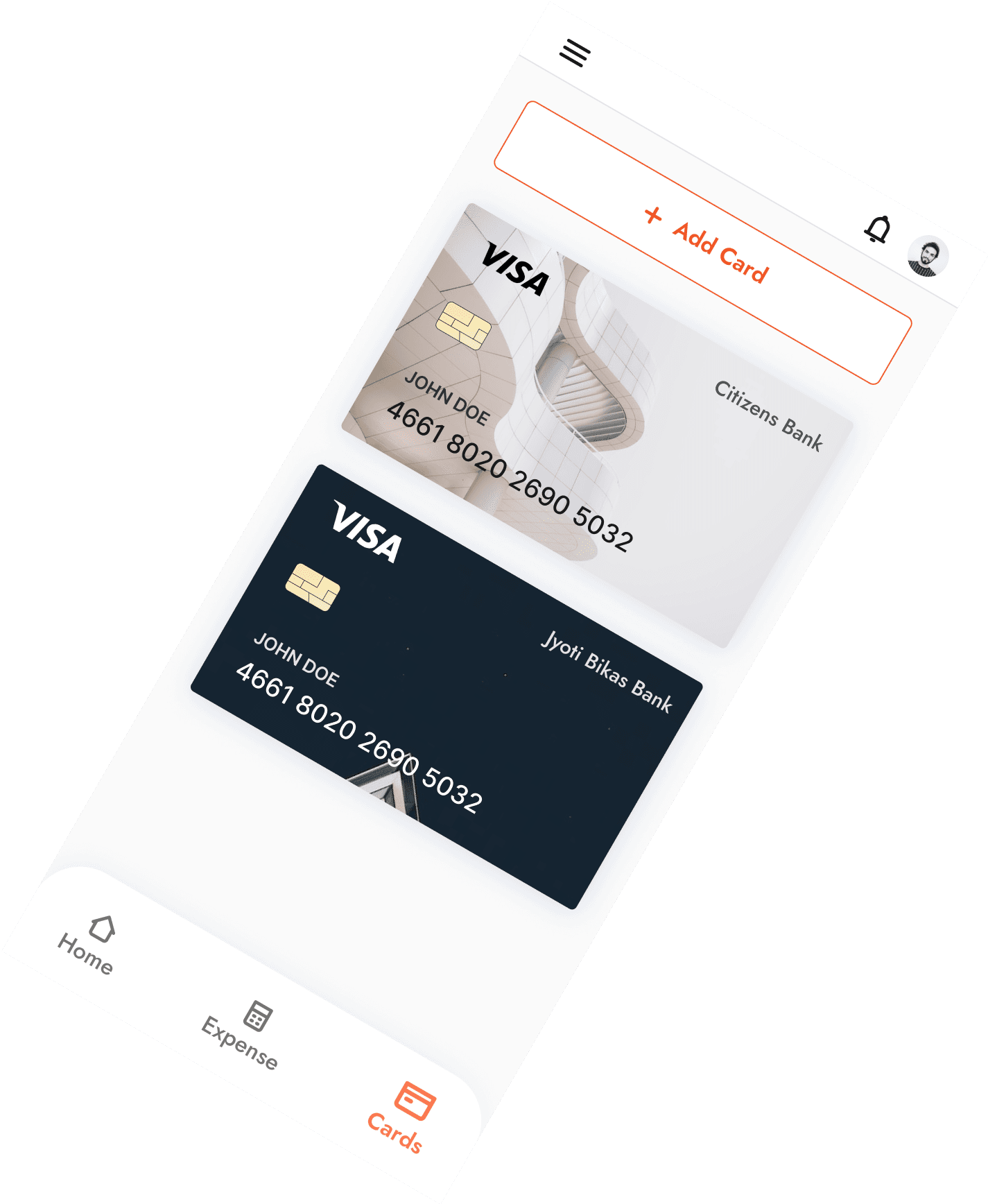
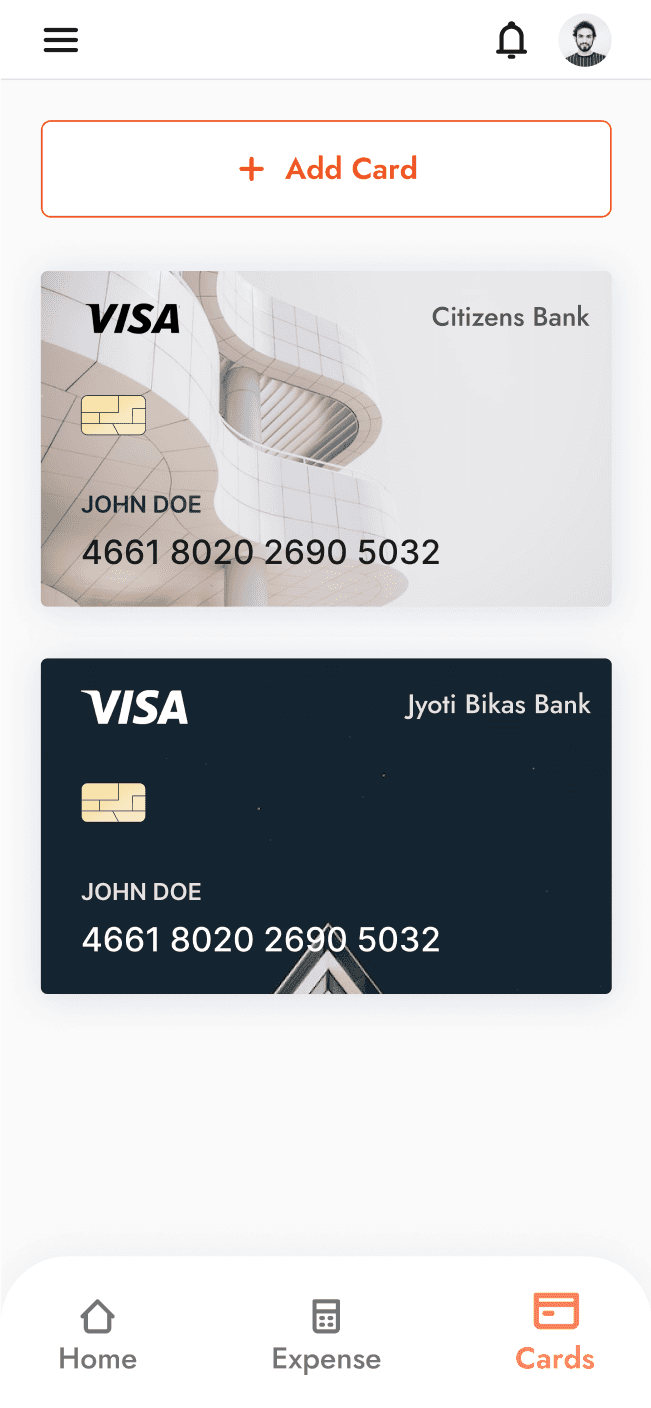
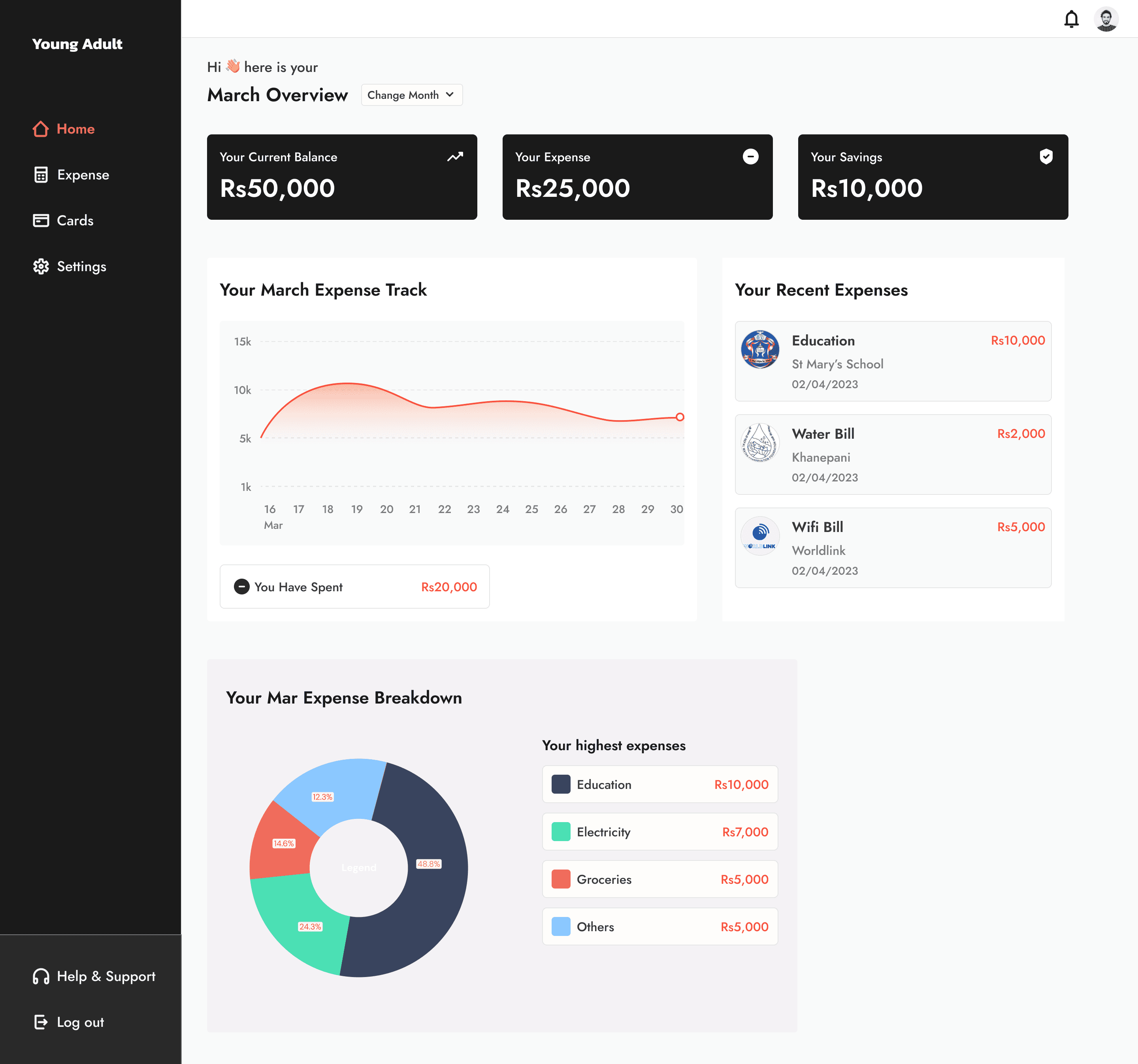
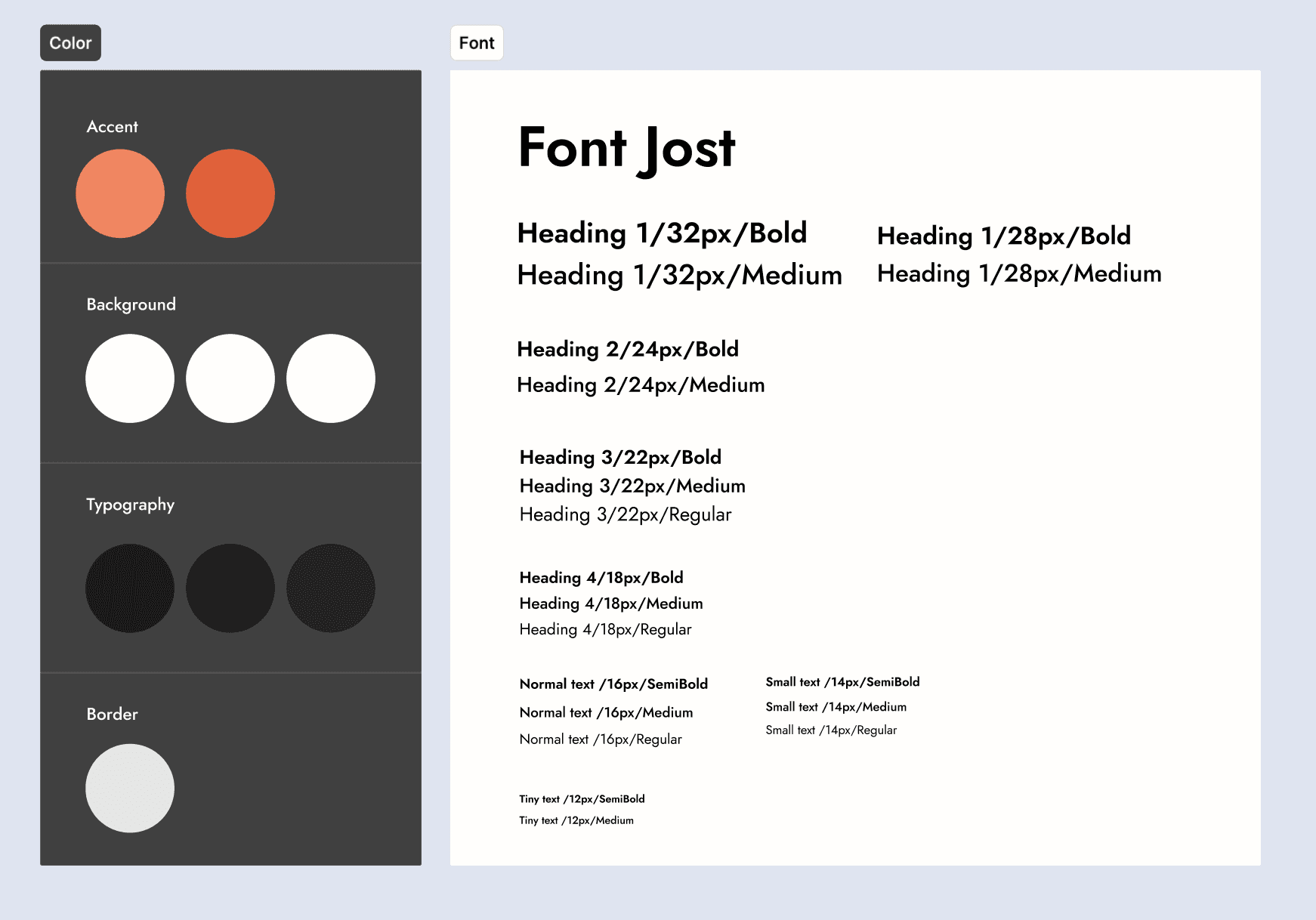
Addressing the results received from the Usability study I made alterations to the final design and this is how they turned out.

Final Designs


Key Takeaways
Don’t reinvent the wheel
Users prefer designs that they are familiar with. From adding card details to expenses, designs that are familiar are a better alternative in 90% of the cases. In the Add card feature I first decided to change it to sync card feature that allowed users to directly sync their bank apps with the Young Adult app. But soon I realized that the users found this a bit suspicious and preferred manually typing their details.
You do not need multiple pages if they do the same thing
Merging the reports and the home page was a step that I took when I realized that the more pages I added the more confused the user got trying to understand what a particular page was for. This added an extra cognitive load on the user. Which is why adding similar pages to one and formatting the layout so unnecessary content is gone is the way to go.
Let the most used action be the easiest to reach
Reduce the number of steps so it is intuitive and easy. In the case of Young Adult, previously the users had to go through a number of button clicks to add their expense to the app. So, inspired by the create mail feature in Gmail, adding a sticky + icon not just acted as an easy access to adding expense details but also the bright orange prompted the user to log their expense.
Conclusion
Riya
And we are the end!
This project with Programiz was a valuable experience, providing insights into the dynamics of B2B interactions and the nuances of designing for such users. It not just introduced me to a new user base but also deepened my awareness of the business considerations to design. I learned how to integrate features seamlessly, crafting a product that truly serves its users. Additionally, I gained the ability to discern and discard elements that don't contribute to the user's experience.