ROLE
I was the lead designer and developer for Found, designing and building it solo from scratch, owning everything from user research and ideation to a live, deployed app with a fully functioning product and landing page, shipped on Vercel using Claude Code.
CONTEXT
Found is a fully functioning AI-native Progressive Web App, designed and built end to end for my thesis project at Parsons School of Design. The app was also later showcased at Index China Town, and already has 19+ users on the day of release.
PROJECT
Social app, Location-based, Community discovery, Mobile
DURATION
8 weeks (2026)
TEAM
Riya (me!)
TOOLS
Claude Code, Supabase, Vercel, Figma
OVERVIEW
What is Found?
Found, a social platform that lets you share photos of inspirations you see on the street, where you saw it and why you found it inspiring. The app also allows users to follow friends or people whose taste users find inspiring.
Issue reported for:
Content
Dev
Others
08
15
22
29
01
May
250
200
150
100
50
0
Data Visualization
User Research
Iteration
Others (0.3%)
BACKGROUND & PROBLEM
When we need inspiration, we instinctively open platforms like Pinterest, Arena, or Instagram.
They're great at helping us discover work from around the world, but over time I realized something.
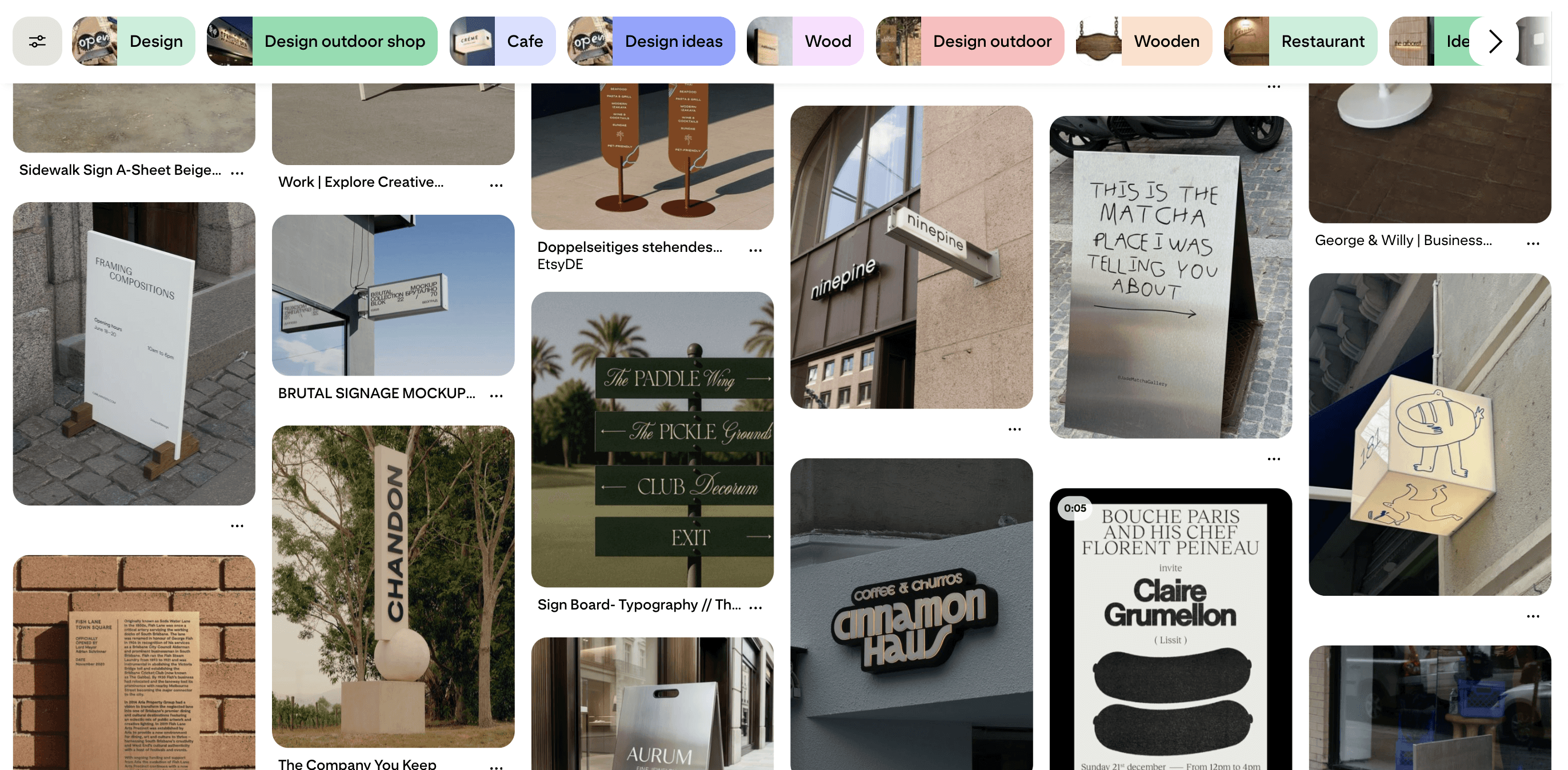
Some of the most meaningful inspiration wasn't coming from my screen. It was happening in everyday moments—a handwritten note on the sidewalk, an interesting coffee mug, a storefront, or the way someone painted a wall.
That made me wonder:
Why isn't there a place for sharing the inspiration we find in the real world?


SETUP & PROCESS
Found is a solo build — I was the designer, the developer, and everything in between. The product is a Progressive Web App built with Claude Code, using Supabase as the database infrastructure and Vercel for deployment, with a dedicated marketing site alongside it.
The app itself is organized around three things:
Explore feed
Map-based GEO view
Posts that carry a photo, notes, location, and tags
Explore feed
Map-based GEO view
Posts
The brand and the interface were designed together: the FOUND. wordmark and the "for real life inspirations" voice set the tone the app follows.
CHALLENGES
Because Found looks like a social app — a feed, posts, profiles — people kept connecting it with regular social media. They read it as "share your life," not "share what you found," and that changed what they posted.
The purpose of the platform had to be made impossible to miss. To imply that this is what worked:
Curated Posts
Hand-picked inspirations for the initial posts so the feed itself modeled what a good find looks like.


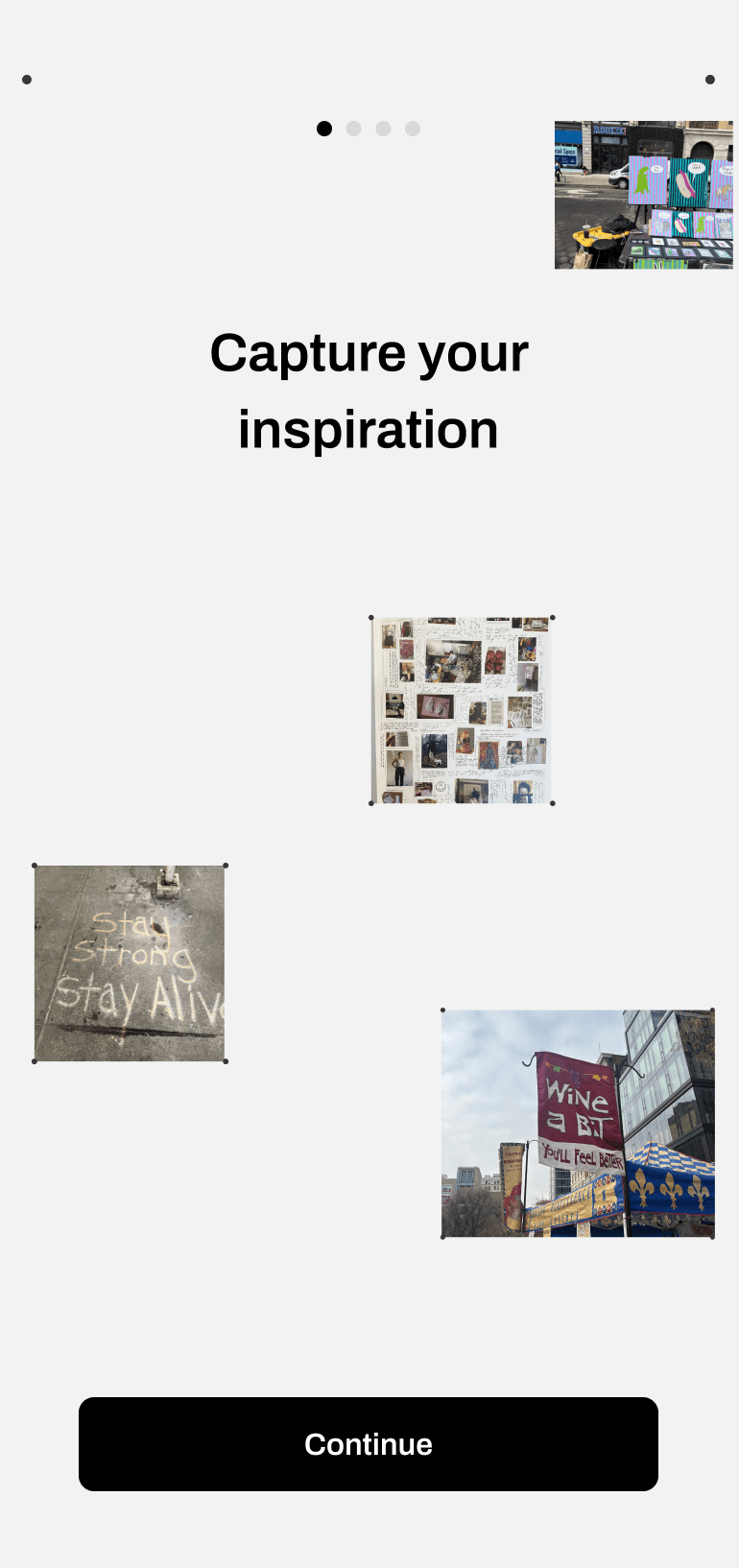
Onboarding Flow
A curated flow before users signed up explaining exactly what the app was, with curated images for reference, allowed users to know how to use the app as well as the features it had.
9:41


Map-based products are heavy: geolocation, image uploads, and real-time content are each big features, and I was one person shipping all of them.
Choosing a Progressive Web App meant anyone could open Found from a QR code without an app store — but it also meant camera and location had to work through browser APIs, which took a lot of testing on real phones. Claude Code let me move fast, but every feature still had to earn its place in the scope of what one designer-developer can ship.


LAUNCH & IMPACT